Customer Support
Compare the best customer support tools. Read reviews, compare features and pricing.
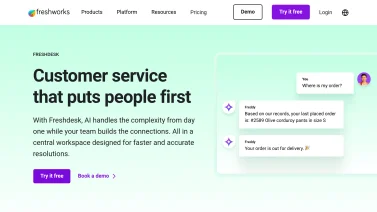

Freshdesk
Customer support software
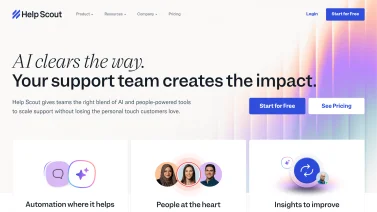

Help Scout
Shared inbox for teams

Groove
Simple help desk
Hepl
Ditch messy client feedback, track everything clearly


LiveChat
Live chat software

Zendesk
Customer service
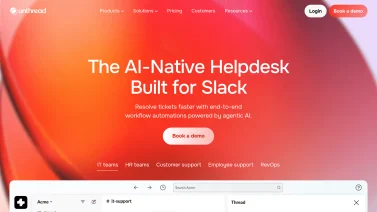

Unthread
Transform your Slack into a support powerhouse!
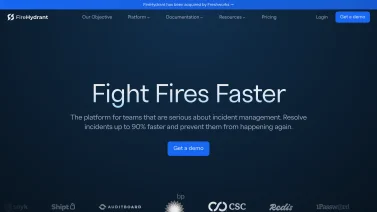

FireHydrant
Streamline Your Incident Management Process
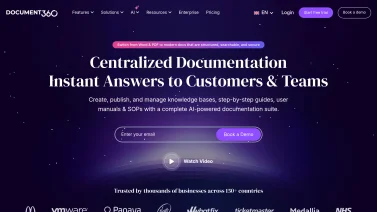

Document360
Empower Your Team with Knowledge Management
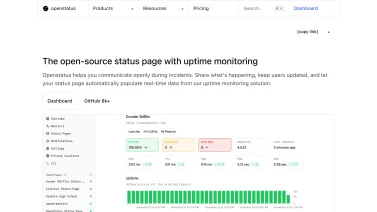

OpenStatus
Transparent communication with your users.
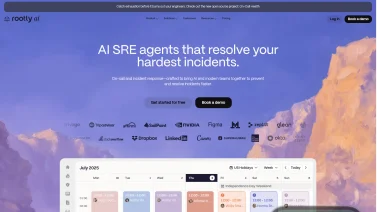

Rootly
Seamless incident management directly in Slack
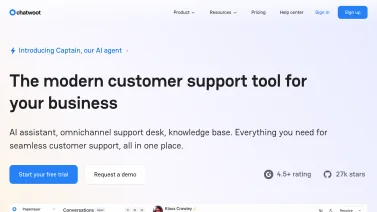

Chatwoot
Empower Your Customer Support with Chatwoot
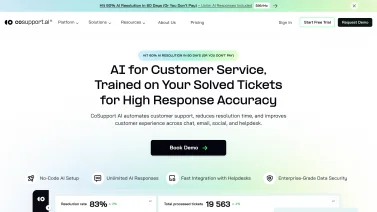

CoSupport AI
Streamline your support with AI-driven solutions.
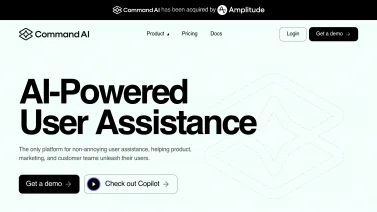

CommandBar
Empower users with seamless assistance.
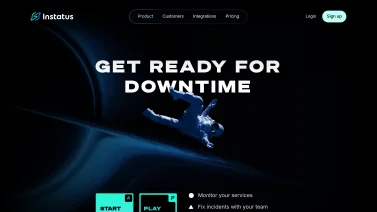

Instatus
Get a quick status page with Instatus

Kustomer
Revolutionize Your Customer Service with AI

Helpjuice
Elevate your knowledge management effortlessly!
Enabling Seamless Customer Support Experiences
A robust support platform integrates multiple communication channels, allowing customers to reach out via email, chat, phone, or social media without switching systems. When a query arrives, the software automatically captures relevant context, such as previous interactions and customer profile data, and presents it to agents in a unified view. This reduces the time spent searching for information and helps maintain continuity across touchpoints. By routing requests to the most appropriate team based on skill sets, language, or issue type, the solution ensures that each case is handled by the right expert from the start.
Automation features further streamline the support workflow by generating predefined responses for common questions and triggering follow-up actions when certain conditions are met. Knowledge bases linked to the platform enable agents to pull accurate information quickly, while customers can self-serve through searchable FAQs and guided troubleshooting steps. Integration with CRM and ticketing systems ensures that every interaction is logged, providing a complete audit trail for analysis and continuous improvement. The result is a smoother experience for both customers and support staff.
Core Capabilities of Customer Support Software
Effective customer support software brings together a suite of capabilities that streamline issue handling, enable seamless communication across channels, and empower both agents and customers. By centralizing tickets, providing searchable knowledge resources, automating routine tasks, and delivering actionable insights, these tools create a cohesive experience that drives faster resolutions and higher satisfaction while integrating smoothly with broader business systems.
Ticket Management and Routing
Effective ticket management begins with a system that can capture inquiries from multiple entry points and assign them to the appropriate agents automatically. By categorizing issues based on keywords, priority levels, or customer segments, the software ensures that each ticket follows a predefined path toward resolution. Routing rules can be adjusted in real time to reflect workload distribution, skill sets, or service level agreements, reducing bottlenecks and preventing tickets from falling through the cracks. Agents receive contextual information about the request, enabling faster triage and more accurate responses, while supervisors gain visibility into queue health and can intervene when necessary to maintain performance standards.
Omnichannel Communication
A modern support suite unifies interactions from email, live chat, social media, phone, and messaging apps into a single inbox, allowing agents to view the full conversation history regardless of the channel used. This consolidation eliminates the need to toggle between disparate tools and reduces response times, because context is preserved and can be referenced instantly. When a customer switches from a chat window to a phone call, the system automatically links the new interaction to the existing ticket, ensuring continuity. Built-in routing rules direct inquiries to the most appropriate specialist based on language, issue type, or priority, while analytics capture channel performance to guide resource allocation and improve overall service quality.
Knowledge Base Creation and Search
A robust knowledge base serves both agents and customers by providing searchable, structured content that addresses common issues and procedures. Advanced indexing and natural language processing enable users to find relevant articles quickly, even when search terms are vague or contain synonyms. Authors can organize information hierarchically, tag articles for cross-referencing, and embed multimedia elements to enhance clarity. Version control tracks updates, ensuring that outdated guidance is retired promptly. When integrated with ticketing workflows, the system can suggest articles during case creation, reducing manual effort and encouraging self-service adoption.
Automation and Workflow Orchestration
By automating routine tasks, support platforms free agents to focus on complex issues that require human judgment. Rules can be set to assign tickets based on criteria such as issue type, priority level, or customer tier, ensuring the right specialist receives each request without manual intervention. Integrated workflow engines trigger follow-up actions, like sending status updates, escalating overdue cases, or closing resolved tickets after a predefined period. Conditional logic also enables dynamic routing, so a ticket that changes severity mid-process is automatically re-routed to a higher-level team. These capabilities reduce response times, improve consistency across interactions, and provide managers with clear visibility into process efficiency.
Customer Self-Service Portals
A well-designed self-service portal gives customers immediate access to answers without waiting for an agent, reducing friction and freeing support staff for complex issues. By organizing knowledge articles, FAQs, and troubleshooting guides in a searchable format, the system enables users to resolve common problems on their own schedule. Integrated with the ticketing engine, the portal can suggest relevant articles based on the symptoms described in a new request, often preventing the ticket from being created altogether. When escalation is necessary, the interface smoothly transitions the user to live chat or email, preserving the context of the original query. This blend of autonomy and guided assistance improves satisfaction while lowering overall support costs.
Analytics and Reporting
Effective analytics and reporting turn raw support data into actionable insight, allowing managers to track ticket volume, resolution times, and agent performance across multiple channels. By visualizing trends, teams can pinpoint recurring issues, allocate resources where demand spikes, and measure the impact of process changes. Customizable dashboards let stakeholders drill down into specific metrics, while scheduled reports keep leadership informed without manual effort. Integration with other business systems ensures that support data contributes to broader operational intelligence, supporting decisions about staffing, training, and product improvements. When these capabilities are built into the platform, organizations gain a clear view of service health and can continuously refine their support strategy.
Integration with CRM and Other Business Systems
When a support platform can exchange data with a CRM and other business applications, agents gain a holistic view of each customer. Ticket details, purchase history, and previous interactions appear side by side, eliminating the need to toggle between systems. This seamless flow also enables automatic updates; for example, a resolved ticket can trigger a status change in the CRM, while new leads generated from support inquiries can be routed to sales. By linking with inventory, billing, or knowledge-base tools, the software ensures that responses are informed by the most current information. The result is faster resolution, reduced duplication of effort, and a more consistent experience across the organization.
Business Benefits of Adopting Support Solutions
Adopting a modern support solution transforms how organizations handle inquiries, creating a framework that streamlines workflows and aligns teams around shared goals. By centralizing communication, automating routine tasks, and providing real-time visibility into case status, businesses can respond more quickly, maintain consistent service standards, and generate data that fuels continuous improvement across the support operation.
Faster Issue Resolution
By routing tickets to the most appropriate agent based on skill set and availability, support platforms dramatically shorten the time needed to resolve issues. Automated triage eliminates manual sorting, allowing customers to receive relevant assistance almost immediately. Integrated knowledge bases provide agents with instant access to solutions, reducing back-and-forth communication. The net effect is a smoother workflow where problems are addressed swiftly, leading to fewer escalations and a more efficient support operation overall.
Higher Customer Satisfaction Scores
When customers receive prompt, accurate answers, their perception of the brand improves noticeably. Unified inboxes ensure no inquiry is missed, while real-time chat and self-service portals empower users to find resolutions on their own terms. Consistent follow-up and personalized responses build trust, which translates into higher satisfaction scores across surveys and feedback channels. Positive experiences also encourage repeat business and word-of-mouth referrals, reinforcing the company's reputation.
Improved Agent Productivity
Automation of routine tasks such as ticket classification, response templating, and status updates frees agents to focus on complex problems that require human insight. Contextual information is presented within the interface, reducing the need to switch between applications. Collaborative features let team members share knowledge instantly, preventing duplicated effort. As a result, agents handle more cases per shift without compromising quality, leading to a measurable boost in overall productivity.
Reduced Operational Costs
Centralized ticketing eliminates the need for disparate spreadsheets, email threads, and manual reporting, cutting administrative overhead. Self-service options deflect a large volume of simple inquiries, decreasing the load on live agents. Predictive routing minimizes idle time, while performance analytics identify bottlenecks that can be addressed proactively. These efficiencies reduce staffing requirements and operational spend, allowing resources to be allocated to strategic initiatives rather than routine maintenance.
Consistent Service Across Channels
A single platform aggregates interactions from phone, email, chat, social media, and messaging apps into a cohesive view, ensuring every customer receives the same level of service regardless of channel. Uniform workflows enforce consistent handling procedures, while shared customer histories prevent contradictory information. Agents can transition seamlessly between channels without losing context, and supervisors can monitor performance across all touchpoints. This harmonized approach sustains brand integrity and improves the overall customer journey.
Actionable Insights for Process Improvement
Detailed reporting dashboards compile data on response times, resolution rates, and common issue categories, turning raw metrics into actionable insights. Trend analysis highlights recurring problems that can be addressed through product improvements or updated documentation. Heat maps reveal peak contact periods, informing staffing decisions. By continuously reviewing these insights, organizations can refine processes, update knowledge assets, and train agents more effectively, fostering a cycle of ongoing improvement.
Product Categories in the Support Space
Exploring the support software landscape reveals distinct toolsets that address different facets of customer interaction, from managing inbound requests to enabling proactive communication and empowering users to find answers independently. Understanding how each category functions helps organizations assemble a cohesive support stack that aligns with service goals and operational workflows.
Help Desk Platforms
A robust help desk platform centralizes incoming requests, assigns tickets to appropriate agents, and tracks resolution progress across multiple channels. It often includes automation rules that route issues based on priority, category, or skill set, reducing manual effort. Integrated reporting tools provide insight into response times and workload distribution, helping teams refine processes and maintain consistent service levels.
Live Chat and Messaging Tools
Providing instant, text-based interaction, these tools let agents converse with visitors directly on a website or within a mobile app. Features often include automated greetings, file sharing, and integration with CRM systems so conversation history follows the customer across channels. Real-time messaging reduces response times and helps resolve issues before they escalate.
Self-Service Knowledge Management
A well-designed self-service knowledge base lets customers find answers without contacting support, reducing ticket volume and speeding issue resolution. Effective systems organize articles by topic, incorporate search optimization, and support multimedia content such as screenshots or videos. Integration with ticketing tools ensures that unresolved queries can be escalated seamlessly, while analytics reveal gaps in documentation for continuous improvement.
Customer Feedback and Survey Solutions
Gathering real-time input from customers allows support teams to spot trends, prioritize improvements, and measure satisfaction. These platforms typically offer customizable survey templates, automated distribution after interactions, and analytics dashboards that visualize sentiment and response rates. Integration with ticketing and CRM systems ensures feedback is linked to specific cases, creating a loop that drives continuous service refinement.
Current Trends Shaping Customer Support
Modern customer support platforms are evolving rapidly, driven by advances that enable faster, more intuitive interactions. Automation now handles routine inquiries while analytics anticipate issues before they surface, and integrated workspaces give agents a holistic view of each case. At the same time, tools increasingly tailor responses to individual preferences, raising overall service quality.
AI-Powered Chatbots and Virtual Assistants
Modern support platforms embed AI-powered chatbots that handle routine inquiries instantly, freeing human agents for complex issues. Natural language processing enables these bots to understand context, route conversations appropriately, and learn from each interaction. The result is faster resolution times, consistent service quality, and reduced workload for support teams.
Predictive Analytics for Proactive Service
Predictive analytics modules scan historical ticket data, customer behavior patterns, and product usage signals to anticipate problems before they surface. By flagging likely issues, the system prompts agents to reach out proactively, often resolving concerns without a formal request. This forward-looking approach improves satisfaction and lowers overall support volume.
Unified Agent Workspaces
Support platforms now combine multiple channels into a single interface where agents manage email, chat, and phone conversations without switching between tools. Context from previous interactions appears alongside the active conversation, reducing handle time and preventing customers from repeating information. Supervisors monitor queue health and intervene directly when escalations require additional expertise.
Increased Focus on Personalization
Personalization engines draw on customer profiles, purchase history, and prior support interactions to tailor responses and recommend relevant resources. Agents receive prompts that reflect individual preferences, language tone, and known issues, creating a more humanized experience. When customers feel understood, loyalty strengthens and repeat contact frequency declines.
Guidelines for Selecting the Right Solution
Choosing a customer support platform requires a balanced view of business needs, technical environment, and future growth. The evaluation process should examine how the solution fits the defined scope, how seamlessly it connects with existing tools, and whether its automation and AI features can enhance efficiency while maintaining a personal touch.
Define Scope and Channel Requirements
Begin by outlining the specific support functions needed, such as email, live chat, social media, or phone, and match them to the organization's service goals. Clarify whether the solution must handle high-volume ticket inflow, multilingual interactions, or complex escalation paths. This scope definition guides later decisions and prevents costly feature gaps later in the procurement process.
Assess Integration Compatibility
Next, verify that the platform can exchange data seamlessly with existing CRM, knowledge base, and analytics tools. Compatibility with authentication systems and API standards reduces custom development effort. A solution that supports bi-directional sync ensures that customer information remains consistent across all touchpoints, improving both agent efficiency and data integrity.
Evaluate Automation and AI Capabilities
Finally, consider how the software leverages automation and artificial intelligence to streamline workflows. Features such as intelligent routing, predictive answer suggestions, and sentiment analysis can reduce manual effort and accelerate response times. Evaluate whether these capabilities are configurable, allowing the organization to fine-tune rules that align with its unique support policies.
The Evolving Landscape of Customer Support
The shift toward omnichannel communication has reshaped how support teams interact with customers, requiring software that can consolidate email, chat, social media, and voice channels into a single interface. By unifying these touchpoints, agents gain context about prior interactions, which reduces repeat inquiries and shortens resolution times. Integrated analytics then reveal patterns across channels, enabling continuous improvement of service quality and more informed staffing decisions.
Artificial intelligence now plays a pivotal role in augmenting human agents, with chatbots handling routine queries and routing complex issues to appropriate specialists. Machine learning models improve over time, recognizing intent and suggesting relevant knowledge-base articles to both customers and agents. This collaboration between AI and staff not only accelerates response rates but also frees up skilled personnel to focus on higher-value problem solving, ultimately enhancing overall customer satisfaction.
Frequently Asked Questions
Customer support software centralizes all communication channels such as email, chat, phone and social media into a single interface, allowing agents to track each interaction from start to finish. It assigns tickets, prioritizes requests, and provides a knowledge base for quick answers. Automation features route queries to the right team, set reminders and generate reports, helping improve response times, consistency and overall customer satisfaction.
Key capabilities include a unified ticketing system that consolidates inquiries from email, chat, phone and social channels, and automation tools that route tickets, trigger alerts and suggest responses. Look for a searchable knowledge base and self-service portal that reduce repeat contacts, as well as robust reporting that tracks response times, resolution rates and customer satisfaction. Integration with CRM, e-commerce and collaboration apps ensures a seamless workflow across teams.
Customer support software typically connects to CRM, e-commerce, and marketing platforms through APIs or built-in integrations, allowing ticket data to flow into existing customer records. It can share contact details, purchase history, and interaction logs, so agents see a complete view without switching apps. Synchronizing with analytics tools also lets managers track support metrics alongside sales and marketing performance, creating a unified data ecosystem.
Teams often underestimate the time needed to map existing processes to the new tool, which leads to incomplete ticket routing and duplicated effort. Skipping thorough training creates confusion about status updates and knowledge base usage. To avoid these issues, start with a pilot group, document workflow changes, schedule hands-on sessions, and set clear ownership for data migration and ongoing support.