
Smartsheet is a dynamic work management platform designed to enhance collaboration and streamline project workflows. Its intuitive interface and robust features empower teams to plan, execute, and track projects effectively, making it ideal for organizations of all sizes seeking to improve productivity and accountability.
Smartsheet Review
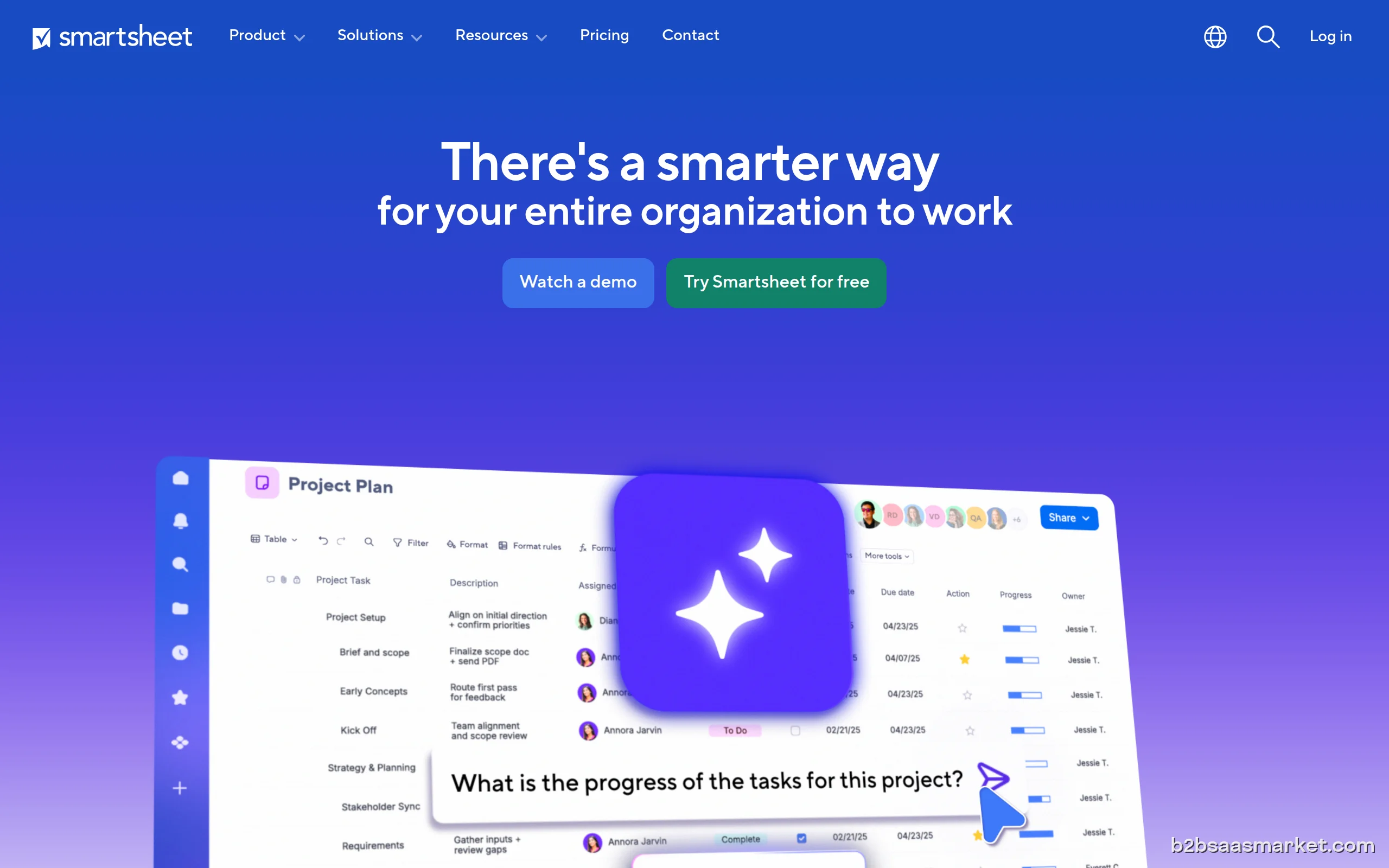
Smartsheet is a versatile work management platform that combines the simplicity of a spreadsheet with powerful project management capabilities. Designed for teams that need to collaborate and manage complex projects, Smartsheet enables users to create, share, and track work in real time. With its user-friendly interface, the platform is accessible to users of varying technical abilities, making it a favored choice in diverse industries.
Who It's For
This tool is particularly beneficial for project managers, team leaders, and organizations looking to improve their project tracking and collaboration efforts. Industries such as marketing, IT, construction, and healthcare can leverage Smartsheet to manage projects, workflows, and resources effectively. Small to enterprise-level businesses can all find value in its robust feature set.
Core Functionality
At its core, Smartsheet offers a variety of features that facilitate project management. Users can create project plans, assign tasks, set deadlines, and monitor progress through customizable dashboards. The platform supports Gantt charts, Kanban boards, and card views, allowing teams to visualize their work in the format that suits them best. Additionally, Smartsheet’s automation capabilities enable users to streamline repetitive tasks, reducing manual workload and increasing efficiency.
Business Benefits
One of the standout benefits of Smartsheet is its ability to foster collaboration among team members. With real-time updates, notifications, and comment threads, users can communicate effectively and ensure everyone is aligned on project goals. The platform also enhances accountability, as task assignments and progress tracking make it easy to identify who is responsible for what. Furthermore, Smartsheet's integration with various tools like Google Workspace, Microsoft Teams, and Slack means teams can work within their existing ecosystems without disruption.
Conclusion/Verdict
In conclusion, Smartsheet is an excellent choice for organizations seeking to improve their project management capabilities. Its combination of user-friendly design, powerful features, and collaborative tools make it an effective solution for teams of all sizes. Whether you are managing a small project or coordinating large-scale initiatives, Smartsheet provides the flexibility and functionality necessary to keep your projects on track.
Key Features
- Customizable project templates for different workflows.
- Real-time collaboration and communication tools.
- Gantt chart and calendar views for visual project tracking.
- Automated notifications and reminders for task deadlines.
- Integration with third-party applications for seamless workflow.
- Mobile app for project management on-the-go.
- Reporting and analytics tools for performance insights.
- File attachment capabilities for document management.
Smartsheet Use Cases
- A marketing team planning a product launch can use Smartsheet to track tasks and deadlines.
- An IT department managing software development projects can utilize Gantt charts to visualize timelines.
- A construction company coordinating multiple contractors can assign tasks and share updates in real time.
- HR teams can manage recruitment workflows by tracking candidate progress throughout the hiring process.
- Event planners can create timelines and checklists for organizing large events or conferences.
Smartsheet Pros & Cons
- User-friendly interface that is easy to navigate for all skill levels.
- Robust project tracking features including Gantt charts and Kanban boards.
- Real-time collaboration tools enhance teamwork and communication.
- Strong automation capabilities reduce manual tasks and streamline workflows.
- Integration with popular tools like Google Workspace and Microsoft Teams.
- Customizable dashboards provide insights tailored to specific projects.
- Scalable solution suitable for teams of all sizes and industries.
- Can be overwhelming for new users due to its extensive features.
- Pricing may be on the higher side for smaller businesses.
- Some advanced features may require a learning curve.
- Limited offline capabilities, reliant on internet access for full functionality.
Integrations
User Reviews
Hi my name's Erica Salazar Just want to thank all you lovely ,nice people who toke the time for my training and Great attention for my important training . . I am very happy for a new start. .
I'd agree with other reviewers. Interface is great for simple pm and easy comms with stakeholders but basics such as account set up, inviting partners to join / administrate and the simple day to day thinks are horrendous - massive saving lags means never being certain if / when updates are saved. Invited team members don't receive invites. Added members dont show in dashboard... and on and on and on. AVOID
Frequently Asked Questions
Smartsheet is a cloud-based work management and automation platform designed to help teams plan, track, and manage work. It combines the ease of a spreadsheet with project management capabilities.
Yes, Smartsheet allows real-time collaboration where team members can comment, share updates, and work together on projects seamlessly.
Absolutely! Smartsheet is scalable and can be tailored to fit the needs of small businesses as well as larger enterprises, making it a versatile option for any team size.
Smartsheet is versatile and can be used for a wide range of projects including marketing campaigns, software development, event planning, and more.
Yes, Smartsheet provides a mobile app that allows users to manage projects, collaborate, and track progress on-the-go.
Smartsheet offers integrations with popular applications such as Google Workspace, Microsoft Teams, Slack, and many others to streamline workflows and enhance productivity.
Smartsheet provides support through various channels including email, live chat, and a comprehensive knowledge base to assist users with their queries.
Quick Info
- Category Project Management
- Rating 1.4/5
- Free Trial Yes
- Trial Period 14 days
- API Available Yes
- Deployment Cloud

Mobile Apps
Company Info
- Company Smartsheet Inc.
- Founded 2005
- Headquarters Bellevue, United States
- Employees 201-500
 More tools from United States →
Target Audience
Smartsheet is ideal for project managers and teams across various industries, including marketing, IT, and construction. It suits businesses ranging from small startups to large enterprises that require a flexible and powerful project management solution.
Platforms