Design Tools
Compare the best design tools tools. Read reviews, compare features and pricing.


Sketch
Digital design toolkit
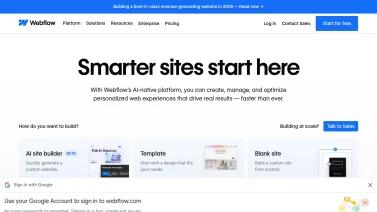

Webflow
Visual web builder


InVision
Digital product design
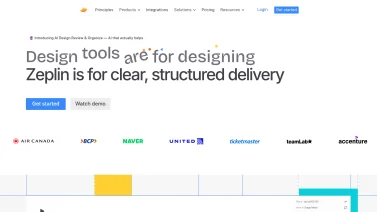

Zeplin
Design handoff

Marvel
Design & prototype
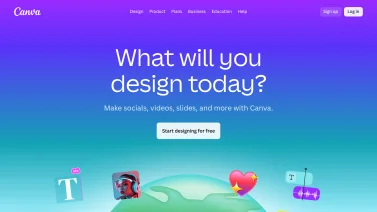

Canva
Online design platform

Midjourney
AI image generation
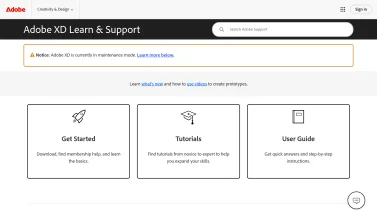

Adobe XD
UI/UX design
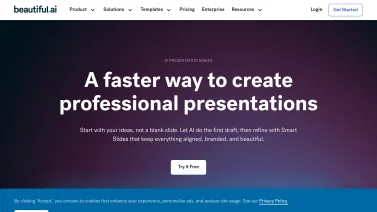

Beautiful.ai
AI-powered presentations
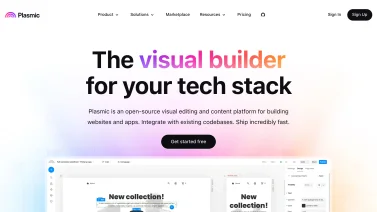

Plasmic
Empower your design with code-free visual building!
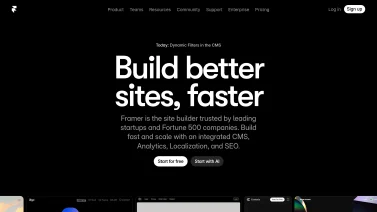

Framer
Craft Beautiful Websites Effortlessly
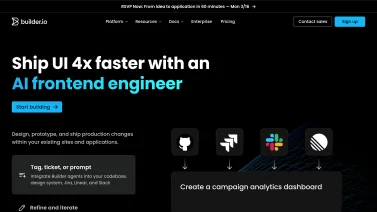

Builder.io
Build better, faster, visually.

tldraw
A very good whiteboard for everyone
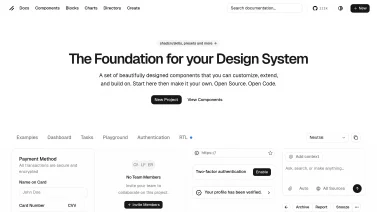

Shadcn UI
Craft stunning interfaces effortlessly.
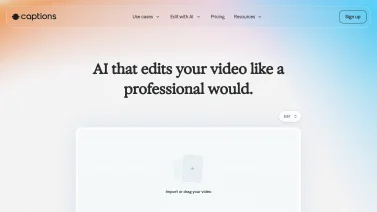

Captions
Unlock Your Creative Potential with AI

Luma AI
Transforming 3D capture and rendering experiences
Digital Design Tools in Contemporary Product Development
Design tools have evolved from specialized software used only by professional designers to essential infrastructure enabling cross-functional product development teams. Modern design platforms consolidate capabilities that previously required multiple specialized applications, enabling designers to work more efficiently while facilitating seamless collaboration between design, product, and engineering teams. The transformation of design tools reflects fundamental shifts in how organizations approach product development, recognizing that design excellence directly impacts business outcomes including user satisfaction, market competitiveness, and product success.
Contemporary design tools address the complete spectrum of design work from initial concept exploration through detailed specifications, prototyping, and developer handoff. Rather than treating design as a final cosmetic layer applied after product decisions are made, modern design platforms enable design to influence product direction from the earliest stages. By providing tools that support collaboration, rapid iteration, and precise specification, design platforms have become central to how organizations deliver products that users love.
Core Design Tool Categories and Capabilities
Design tools span a spectrum of capabilities that empower creators to move from concept to finished product. Some focus on precise vector graphics and screen layouts, while others enable rapid prototyping and interactive experiences. Collaboration features, reusable component libraries, and web-focused utilities further extend what teams can achieve within a unified workflow.
Vector-Based Design and Interface Design Tools
Vector-based design applications provide the fundamental tools for creating user interfaces, visual designs, and scalable graphics. These tools excel at creating crisp, sharp graphics that scale perfectly across any screen size without quality degradation. Component systems enable designers to create reusable elements that maintain consistency across designs while reducing repetitive work. Smart layout systems automatically adjust spacing and sizing when content changes, enabling designers to create responsive designs that adapt intelligently to different screen sizes. Typography controls enable precise management of fonts, sizing, spacing, and styling. Color management tools help teams maintain consistent brand color palettes across all designs. Symbol and component libraries enable teams to build design systems where components are defined once and reused throughout projects, ensuring consistency while reducing maintenance overhead when designs require updates.
Prototyping and Interactive Design
Prototyping tools transform static designs into interactive experiences that simulate how actual products function. Interactive prototypes enable designers to create realistic representations of user flows, interactions, and animations without requiring engineering resources. Advanced animation tools enable designers to define transitions, microinteractions, and dynamic behaviors that make interfaces feel polished and responsive. Gesture support enables prototypes to respond to touch interactions including swipes, taps, and long presses, essential for testing mobile user experiences. State management allows designers to define how interfaces change based on user actions, system states, or data changes. Conditional logic enables prototypes to simulate complex interactions including form validation, error states, and conditional content visibility. Recording capabilities enable designers to capture and share interactive experiences with stakeholders and for user testing without requiring live presentation.
Collaborative Design Platforms
Modern design platforms emphasize real-time collaboration enabling multiple team members to work on designs simultaneously. Live editing shows collaborators' cursors and changes in real-time, enabling teams to work together synchronously and provide immediate feedback. Version history preserves all design changes, enabling teams to understand design evolution and revert to previous versions if needed. Comment capabilities enable stakeholders to provide feedback directly on designs without requiring separate feedback channels. Permission and access controls enable organizations to manage who can view, edit, and share designs while maintaining security for sensitive design information. Collaborative design platforms typically include built-in communication features including messaging, video calls, and screen sharing that enable rich synchronous collaboration without requiring separate communication tools.
Design Systems and Component Libraries
Design systems consolidate design patterns, components, and standards that enable consistent product experiences across multiple platforms and applications. Component libraries capture reusable design elements with defined behaviors, states, and specifications. Design tokens manage design decisions including colors, typography, spacing, and sizing, enabling rapid theme changes and maintaining consistency across applications. Documentation capabilities help teams understand component usage, guidelines, and best practices. Integration with code repositories enables design systems to be synchronized with actual component implementations, ensuring design definitions remain accurate as products evolve. Organizations benefit from design systems through improved consistency, reduced duplication, faster design and development cycles, and easier maintenance as design updates propagate to all applications using shared components.
Web Design and Development Tools
Web design tools bridge the gap between design and development by enabling designers to define interactions, responsive behavior, and even implementation details without requiring developers to interpret design files. Visual builders enable designers to construct web pages by arranging components and content without coding. Responsive design capabilities enable designers to define how layouts adapt across different screen sizes, with visual previews showing how designs appear at various breakpoints. CSS-level control for advanced designers enables those with coding knowledge to define custom styling and interactions. Developer handoff capabilities enable designers to publish designs with specifications that developers can easily implement, including spacing measurements, color values, typography specifications, and interaction definitions. These tools significantly accelerate the design-to-development process by reducing interpretation and rework required when converting designs to implementation.
Key Features Modern Design Tools Provide
Modern design tools combine visual precision with workflow intelligence, enabling teams to create, iterate, and deliver UI assets efficiently. They integrate collaborative canvases, centralized libraries, and automated handoff mechanisms while preserving a complete history of changes. This blend of capabilities supports consistent branding, reduces friction between designers and developers, and streamlines the overall product development cycle.
Real-Time Collaboration and Multiplayer Editing
Collaborative design enables teams to work together synchronously, seeing each team member's edits in real-time and understanding who is working on which elements. This shared workspace eliminates communication friction and enables faster design decision-making. Multiplayer editing capabilities allow designers to work on different parts of the same file simultaneously rather than forcing sequential work. Comment threads enable non-blocking feedback where stakeholders can provide input without interrupting active design work. Collaborative review processes enable designs to evolve through feedback without requiring meetings or lengthy email threads.
Asset and Component Management
Design tools provide libraries for storing and organizing reusable assets including icons, illustrations, UI components, and templates. Search and organization capabilities help teams locate assets quickly. Versioning tracks asset changes over time. Syncing capabilities ensure that when assets are updated, all uses of those assets automatically reflect the latest version. This centralized asset management prevents version confusion where different parts of products use different versions of the same component.
Handoff and Developer Specifications
Developer handoff capabilities enable designers to communicate design specifications to developers in ways that facilitate accurate implementation. Inspection modes enable developers to select design elements and view spacing, colors, typography, and other specifications. CSS code generation can provide developers with starting-point code that implements design specifications. Export capabilities enable developers to access assets at multiple resolutions and formats. Documentation features help designers capture design rationale, interaction specifications, and edge cases that developers need to understand for accurate implementation.
Version Control and Design History
Version control tracks all changes to designs over time, enabling teams to understand design evolution and revert to previous versions if needed. Branching capabilities enable designers to explore alternative directions without affecting the main design. Merging capabilities enable changes from different branches to be incorporated back to the main design. This version control approach, familiar to engineers for code management, brings similar benefits to design by enabling experimentation while maintaining a stable main version.
Design Tokens and Theming
Design tokens capture design decisions as named values that can be referenced throughout designs and in code implementations. Using tokens for colors, typography, spacing, and sizing enables rapid theme changes that propagate throughout entire applications. Tokens bridge the gap between design and development by providing a shared language for design specifications that can be implemented directly in code.
Benefits of Modern Design Tools
Modern design tools empower teams to transform concepts into polished products faster and with greater consistency. By centralizing assets, automating routine tasks, and enabling real-time feedback, these platforms streamline workflows, foster collaboration across disciplines, and help validate user experiences early, ultimately reducing costly rework and supporting distributed teams.
Accelerated Product Design and Development Cycles
Modern design tools reduce time required to move from concept to implementation by enabling rapid prototyping, real-time collaboration, and precise specification. Designers can iterate quickly on ideas and get immediate feedback from teammates rather than waiting for meetings. Automated responsive design capabilities reduce the work required to design across multiple screen sizes. Component reuse reduces design time for new features by enabling designers to compose new interfaces from existing components. These efficiency gains enable organizations to deliver products faster and respond more quickly to market opportunities and user feedback.
Improved Design Quality and Consistency
Design systems and component libraries ensure that products maintain consistent appearance and behavior across different applications and platforms. When components are defined centrally and reused throughout products, consistency is automatic rather than requiring ongoing discipline. Design tokens ensure that styling decisions are applied consistently. Collaboration enables design review and feedback before designs are handed off to development, catching issues early when they are less expensive to fix. Prototyping enables design validation through user testing before engineering resources are invested in implementation.
Better Cross-Functional Collaboration
Design tools that emphasize collaboration break down silos between design, product, and engineering teams. Developers can view designs with specifications embedded, reducing questions and interpretation. Product managers can provide feedback on prototypes to validate that designs address user needs. Design tools that provide developer mode enable engineers to extract specifications and assets efficiently. When design tools are integrated with project management and communication tools, design work becomes visible to entire organizations rather than being isolated in design team spaces.
Enhanced User Experience Validation
Prototyping capabilities enable organizations to validate designs with real users before committing to implementation. Interactive prototypes enable designers to test whether interfaces are intuitive and whether user flows are logical. Recording capabilities enable designers to share prototypes with remote users for feedback. Integration with user testing tools enables structured evaluation of prototype usability. This validation reduces the risk of shipping products with poor user experience by identifying and fixing issues during the design phase.
Reduced Development Rework
Precise design specifications and accurate handoff reduce developer interpretation and rework. When developers have clear specifications including spacing, colors, typography, and interaction specifications, they can implement designs accurately on the first attempt rather than requiring multiple iterations for refinement. Asset libraries enable developers to access design elements at correct resolutions and formats without requiring designers to manually export and provide files. This reduces waste and enables development teams to focus on functionality rather than design interpretation.
Support for Remote and Distributed Design Teams
Cloud-based design tools enable team members to work from anywhere with only a web browser or lightweight application. Real-time collaboration enables distributed teams to work together as effectively as co-located teams. Asynchronous feedback capabilities enable team members in different time zones to contribute meaningfully. Recording and commenting capabilities enable participation by team members who cannot attend live sessions. These capabilities make design tools ideal for organizations with remote designers and for teams collaborating across geographic locations.
Design Tool Specializations and Focused Solutions
When design teams require tools that excel beyond general-purpose editors, they turn to solutions built around specific workflows. These platforms streamline intricate interface layouts, empower creators to assemble functional web experiences without code, ensure compliance with accessibility standards, and provide dedicated environments for crafting motion and animation, each catering to distinct creative demands.
Specialized UI and Interaction Design Platforms
Some design tools focus specifically on user interface and interaction design, providing deep capabilities for this domain. These tools typically excel at creating polished, professional interfaces and realistic interactions. They often include extensive libraries of UI patterns and components specific to different platforms including iOS, Android, and web. Their focus enables these tools to provide superior capabilities compared to generalist design platforms, though they may lack capabilities for other design disciplines.
No-Code Web Development Platforms
Design tools that integrate code generation capabilities enable designers to build web applications without coding. Visual builders enable dragging and dropping components to define layouts. CSS control enables definition of styling. JavaScript integration enables designers to implement interactions and logic. These tools enable designers to build complete web applications while providing developers with clean code that can be refined further. This capability enables organizations to accelerate web development by eliminating the handoff delay between design and development.
Accessibility-Focused Design Tools
Some design tools emphasize accessibility capabilities including color contrast checking, keyboard navigation validation, and screen reader compatibility verification. These tools help designers create interfaces that work for users with different abilities, expanding market reach while ensuring compliance with accessibility regulations. Accessibility validation built into design tools enables catching accessibility issues during design rather than waiting until development or post-launch.
Motion and Animation Specialization
Design tools with specialized animation capabilities enable designers to create sophisticated motion designs and interactions. Timeline-based animation editors enable precise control of animation timing and easing. Export capabilities enable designers to deliver animations that developers can integrate into applications. These tools enable creation of engaging interactive experiences that elevate product quality and user satisfaction.
Current Trends in Design Tool Evolution
The landscape of design tools is shifting rapidly as developers integrate smarter features, tighter workflows, and broader connectivity. Modern platforms now blend creative and technical functions, enabling teams to iterate faster while staying aligned across disciplines. This momentum fuels innovations that streamline collaboration, bridge design with code, and extend capabilities through seamless integrations.
AI-Powered Design Assistance
Artificial intelligence is rapidly being integrated into design tools to enhance designer productivity. Auto-layout capabilities automatically adjust spacing and sizing as content changes. Intelligent color suggestions enable AI to recommend complementary colors for designs. Content-aware fills enable removing or modifying design elements automatically. Layout generation can suggest page layouts based on content and requirements. These AI capabilities are rapidly becoming baseline features users expect from modern design tools.
Design and Development Convergence
The boundary between design tools and development platforms is increasingly blurring. Design tools that enable code generation and provide developer mode capabilities reduce the need to translate designs into code. Development platforms that include visual builders blur the line between design and development. This convergence reflects recognition that design and development are deeply intertwined and that enabling seamless handoff improves product quality and development efficiency.
Enhanced Real-Time Collaboration
Design tools continue evolving collaboration capabilities with features like live video integration, screen sharing, and embedded communication. The ability to collaborate synchronously without leaving the design tool reduces friction and enables faster decision-making. Some tools are experimenting with virtual reality collaborative spaces enabling immersive design collaboration.
Integration with Adjacent Tools
Design tools are increasingly integrating with project management, communication, and code repository tools. Designs can be linked to feature requests and issues. Conversations about designs can occur within design tools without context-switching to separate communication platforms. Version control integration enables designs to be versioned alongside code. These integrations reflect recognition that design exists within broader organizational workflows and that seamless integration improves efficiency.
Selecting Appropriate Design Tools
Choosing the right design toolset begins with understanding the specific creative challenges a project presents, the ways teams will interact, and how the software will fit into existing technology stacks. By weighing functional capabilities against workflow dynamics and ecosystem compatibility, decision-makers can align tools with both current needs and future growth.
Assessing Design Requirements
Selecting design tools requires understanding what types of design work the organization performs. Organizations primarily focused on web design may prioritize tools with strong web design and development capabilities. Organizations creating mobile applications need tools with strong iOS and Android support. Organizations requiring sophisticated animation capabilities should prioritize tools with advanced animation features. Right-sizing tool selection to actual requirements prevents investing in unnecessary capabilities while ensuring selected tools excel at required tasks.
Team Collaboration and Workflow Considerations
Design tool selection should consider team size, collaboration patterns, and distribution. Distributed teams benefit from cloud-based tools with strong real-time collaboration. Large organizations may need tools with robust permission management and asset library capabilities. Small teams may prioritize simplicity and ease of learning. Organizations with developers needing design specifications should prioritize tools with strong developer handoff capabilities.
Integration Ecosystem and Developer Relationships
Evaluate which tools integrate with systems the organization already uses including project management tools, code repositories, and communication platforms. Tools with robust API ecosystems enable custom integrations with specialized internal systems. Strong community support and plugin ecosystems enable extending tools with additional capabilities. Organizations using specific design frameworks like Material Design or Apple's design guidelines should verify that selected tools provide first-class support.
The Future of Design Tools
Design tools will continue evolving to provide richer collaboration, more powerful automation, and deeper integration with development workflows. Artificial intelligence will increasingly handle routine design tasks, freeing designers to focus on creative and strategic work. Voice interfaces and gesture control may enable new ways of interacting with designs. Integration with development workflows will continue deepening, potentially blurring the distinction between design and development tools. As products become more complex and user expectations increase, sophisticated design tools will become increasingly essential for competitive product development.
Modern design tools represent fundamental infrastructure that organizations invest in to build products that users love. By enabling rapid iteration, supporting collaboration, and providing precise specifications, design tools directly impact product quality and competitive success. Organizations prioritizing investment in design tools and processes position themselves to deliver superior products while maintaining development efficiency and team satisfaction.
Frequently Asked Questions
Design tools software provides a digital workspace for creating visual content such as graphics, layouts, prototypes, and user interfaces. It offers drawing canvases, vector editing, layer management, and real-time collaboration features that let teams iterate quickly. The software often includes libraries of assets, typography controls, and export options for multiple formats. By streamlining the creative process, it helps produce consistent, high-quality designs faster and supports collaboration across marketing, product, and development teams.
When comparing design tools, buyers should prioritize a flexible canvas that supports vector and raster editing, as well as robust typography controls. Real-time collaboration features enable teams to work together without version confusion. Integration with other creative and project management applications streamlines workflow. An intuitive interface reduces the learning curve, while customizable shortcuts boost efficiency. Strong asset management, including libraries for symbols and components, helps maintain consistency. Finally, reliable export options for multiple formats ensure designs can be delivered to any downstream process.
Design tools software typically connects to existing platforms through APIs, file-sharing services, or built-in export options. It can pull brand assets from digital asset management systems, sync project timelines with task managers, and embed prototypes into collaboration suites. Output files often conform to standard formats that downstream applications like marketing automation or content management systems can consume without extra conversion steps. This interoperability helps keep creative work aligned with broader business workflows.
Teams often struggle with unclear workflows, insufficient training, and fragmented file management when first using design tools. To avoid these issues, establish a shared style guide, schedule hands-on onboarding sessions, and designate a central repository for assets. Encourage regular check-ins to surface friction points early, and assign a champion who can answer questions and keep best practices visible. Consistent communication and clear processes turn early setbacks into smoother collaboration.