
ClickUp is a versatile project management tool designed to enhance productivity by consolidating multiple work processes into a single platform. It caters to teams of all sizes, offering features that streamline task management, communication, and collaboration. With ClickUp, businesses can improve efficiency and transparency, ensuring everyone is on the same page.
ClickUp Review
ClickUp is an all-in-one project management solution that helps teams organize their work, boost productivity, and enhance collaboration. It combines various functionalities into a single platform, enabling businesses to manage tasks, projects, and workflows seamlessly. Whether you are managing small projects or large-scale operations, ClickUp provides the tools necessary to keep everything organized and on track.
Who It's For
This tool is ideal for teams of all sizes, from startups to established enterprises, looking to centralize their project management efforts. Whether you are in marketing, engineering, or any other field that requires coordination among team members, ClickUp’s customizable features can be tailored to fit your needs. Organizations aiming to improve communication, streamline processes, and enhance overall team collaboration will find great value in ClickUp.
Core Functionality
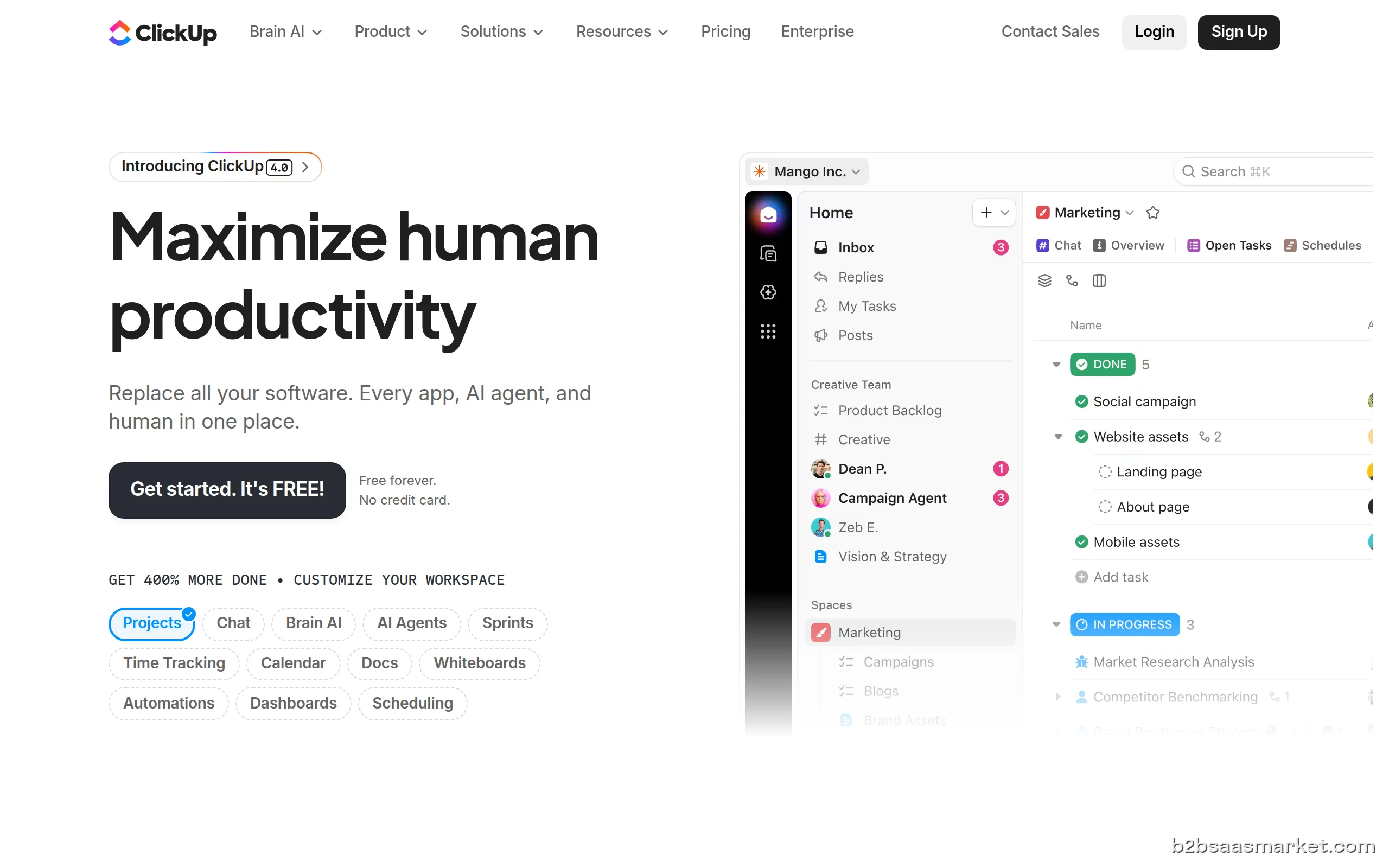
At its core, ClickUp offers a range of functionalities designed to facilitate project management. Users can create tasks, set deadlines, and assign responsibilities, all while tracking progress in real-time. The platform supports multiple views, including lists, boards, and calendars, allowing teams to choose how they want to visualize their work. Integration with other tools, such as Slack and Google Drive, further enhances its capabilities, making it easier to maintain workflows across different platforms.
Business Benefits
Utilizing ClickUp can lead to significant improvements in team productivity and project outcomes. By consolidating various project management functions into one application, teams can eliminate the need for multiple tools, reducing costs and simplifying user experiences. The platform’s automation features minimize repetitive tasks, allowing team members to focus on more strategic initiatives. Furthermore, ClickUp’s reporting and analytics capabilities provide insights into team performance, enabling better decision-making and resource allocation.
Conclusion/Verdict
In conclusion, ClickUp stands out as a powerful project management tool that adapts to the unique needs of different teams. Its comprehensive features, user-friendly interface, and integration capabilities make it an attractive choice for organizations looking to enhance their project management processes. Whether you need a simple task tracker or a robust project management platform, ClickUp is equipped to help you succeed.
Key Features
- Task management with customizable statuses and priorities.
- Multiple project views including List, Board, and Gantt chart.
- Time tracking and estimation for better resource management.
- Automation of repetitive tasks to save time.
- Collaboration tools including comments, mentions, and file sharing.
- Customizable dashboards for personalized project tracking.
- Integration with third-party apps for enhanced functionality.
- Reporting and analytics for tracking performance metrics.
ClickUp Use Cases
- Marketing teams can manage campaigns and track deliverables in one place.
- Product development teams can coordinate tasks and timelines efficiently.
- Remote teams can collaborate on projects through shared workspaces.
- Sales teams can track leads and manage client interactions seamlessly.
- Event planning teams can organize schedules and responsibilities effectively.
ClickUp Pros & Cons
- Comprehensive all-in-one tool that replaces multiple applications.
- Highly customizable with various views and workflows to fit specific team needs.
- Automation features that reduce manual work and increase efficiency.
- Robust reporting and analytics for improved project insights.
- Intuitive user interface that is easy to navigate for all team members.
- Excellent integration capabilities with popular tools like Slack, Google Drive, and more.
- Available on multiple platforms, including web and mobile, for flexibility.
- Feature overload can be overwhelming for new users.
- Some advanced features may require a learning curve.
- Pricing can be high for smaller teams or startups looking for budget-friendly options.
- Occasional performance issues reported during high usage.
- Limited offline capabilities may hinder users in low-connectivity areas.
Pricing
Free trial available (14 days)
User Reviews
All the features are upgraded gradually, This is a great tool and will save cheaper for all the integrations combined, CUp is your go to Project Management Software
Horrible. They just don't want you to delete your profile. Worst website ever.
Frequently Asked Questions
ClickUp is a project management software that combines various functionalities to help teams organize tasks, collaborate effectively, and boost productivity. It serves as an all-in-one platform for managing projects, tasks, and workflows.
Yes, ClickUp is ideal for remote teams as it provides collaborative tools, real-time updates, and a centralized workspace that simplifies communication and task management across different locations.
ClickUp integrates with numerous third-party applications, including Slack, Google Drive, Zoom, and many others, allowing users to streamline their workflows and enhance productivity.
Yes, ClickUp has mobile applications available for both iOS and Android devices, enabling users to manage their tasks and projects on the go.
Yes, ClickUp offers a free trial period that allows users to explore its features and functionalities before committing to a paid plan.
ClickUp provides a range of pricing plans, including a free tier and several paid options that cater to different team sizes and needs, allowing flexibility based on budget and requirements.
Absolutely, ClickUp is designed to handle projects of any size, making it suitable for both small and large teams. Its features scale effectively to meet the demands of complex projects.
Quick Info
- Category Project Management
- Rating 3.6/5
- Free Trial Yes
- Trial Period 14 days
- API Available Yes
- Deployment Cloud

Community
Mobile Apps
Company Info
- Company Mango Technologies, Inc.
- Founded 2017
- Headquarters San Diego, United States
- Employees 201-500
 More tools from United States →
Target Audience
ClickUp is designed for professionals seeking a powerful project management solution. It is suitable for teams of any size, from startups to large enterprises, who want to enhance collaboration, streamline processes, and improve productivity across their projects.
Platforms