
Todoist is a powerful task management tool designed to help teams and individuals organize their workflows effectively. With its intuitive interface and robust set of features, it's ideal for anyone looking to enhance productivity while managing tasks and projects efficiently.
Todoist Review
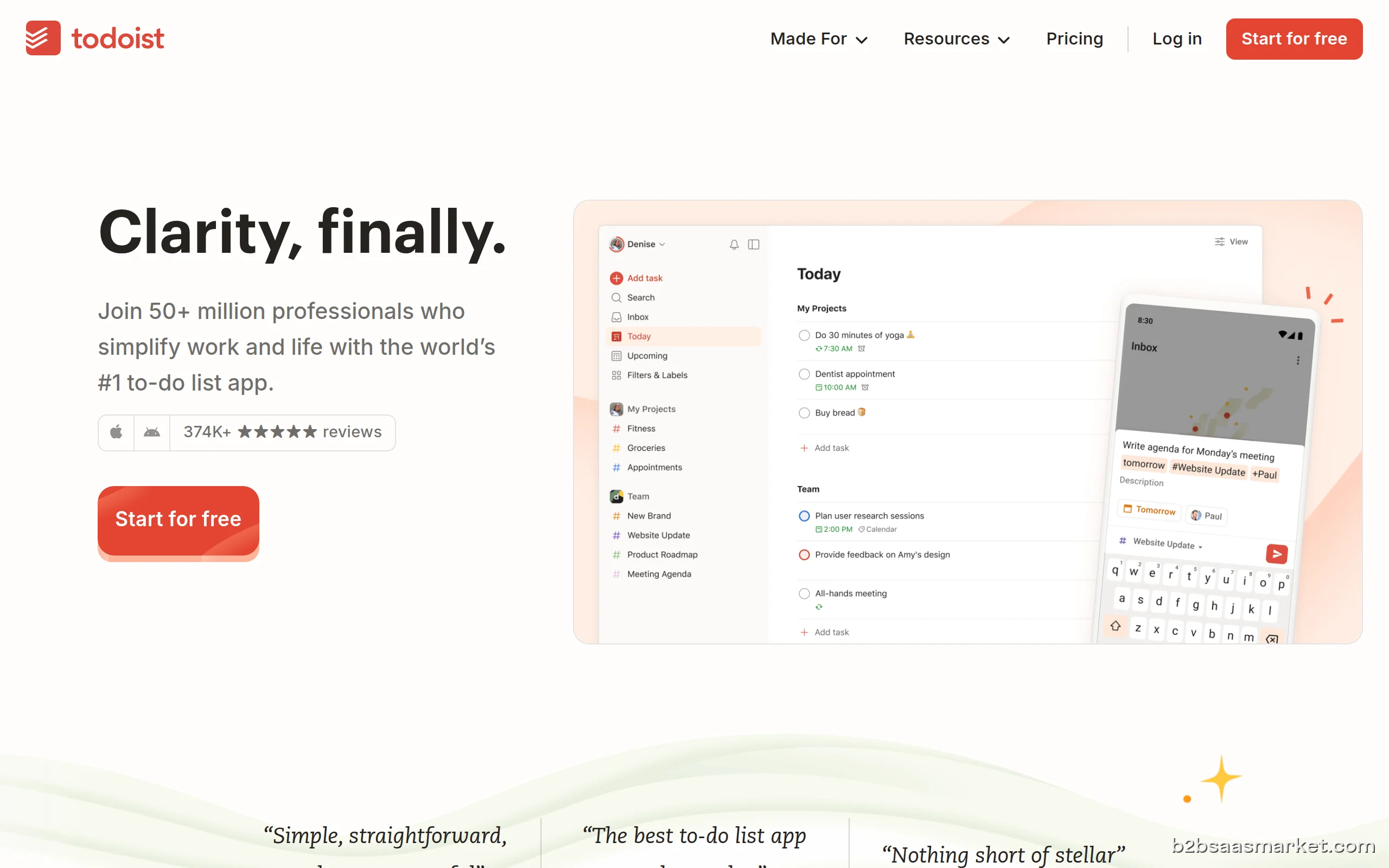
Todoist is a highly regarded task management tool that empowers users to efficiently organize their tasks and projects. With its user-friendly interface and a variety of robust features, Todoist caters to both individuals and teams aiming to boost productivity. The platform allows users to create, prioritize, and categorize tasks seamlessly, making it an essential tool for managing workloads effectively.
Who It's For
Todoist is perfect for a wide range of users, from busy professionals and freelancers to entire teams within organizations. It is particularly beneficial for those juggling multiple projects and deadlines, as it offers features that facilitate collaboration and task delegation. Whether you are an entrepreneur seeking to keep track of personal tasks or a project manager handling team activities, Todoist provides a solution tailored to meet diverse needs.
Core Functionality
At its core, Todoist boasts a variety of functionalities designed to streamline task management. Users can create tasks with due dates, labels, and priority levels, enabling them to focus on what matters most. The project organization feature allows for the grouping of related tasks, while the integration with various productivity tools enhances its capabilities. Additionally, Todoist's recurring tasks feature enables users to automate repetitive tasks, ensuring nothing falls through the cracks.
Business Benefits
Implementing Todoist within a business setting can lead to significant improvements in productivity and team collaboration. By providing a clear overview of tasks and deadlines, teams can prioritize their work more effectively, ultimately leading to better project outcomes. The ability to share projects and delegate tasks allows for enhanced teamwork, ensuring that everyone is on the same page and contributing to shared goals. Furthermore, the mobile app ensures users can manage their tasks on-the-go, making it easier to stay productive, even when away from the desk.
Conclusion/Verdict
In conclusion, Todoist stands out as an exceptional task management tool that caters to the needs of both individuals and teams. Its combination of user-friendly design, powerful features, and integration capabilities make it a strong choice for anyone looking to improve their productivity. Whether you are managing personal tasks or coordinating team projects, Todoist offers the tools needed to keep everything organized and on track.
Key Features
- Task creation with due dates and priority levels
- Project organization and categorization
- Recurring tasks for repeated activities
- Integration with tools like Google Calendar and Slack
- Collaboration features for sharing projects and tasks
- Customizable labels and filters for task management
- Cross-platform mobile app for task access on-the-go
- Offline functionality for uninterrupted productivity
Todoist Use Cases
- A project manager using Todoist to streamline team tasks and deadlines.
- A freelancer organizing client projects and personal tasks in one place.
- A student managing assignments and study schedules effectively.
- A small business owner keeping track of daily operational tasks.
- A remote team coordinating work across different time zones.
Todoist Pros & Cons
- User-friendly interface that simplifies task management.
- Robust project categorization and organization features.
- Seamless integration with other productivity tools.
- Ability to set recurring tasks for ongoing projects.
- Cross-platform availability ensures accessibility on all devices.
- Collaboration features allow for easy sharing and task delegation.
- Customizable labels and filters enhance task sorting.
- Offline access enables work without an internet connection.
- Limited advanced project management features compared to dedicated tools.
- Free version has fewer features, prompting a need for an upgrade.
- Some users may find the interface too simplistic for complex projects.
- Occasional sync issues reported by users across different devices.
Integrations
Frequently Asked Questions
Todoist is a task management tool that helps users organize their tasks and projects efficiently. It allows individuals and teams to create, prioritize, and track tasks using a simple and intuitive interface.
Yes, Todoist is available on multiple platforms including web, iOS, and Android, allowing you to access your tasks from any device at any time.
Absolutely! Todoist allows users to share projects, assign tasks, and collaborate with team members, making it easier to work together on projects.
Yes, Todoist offers a free version with basic functionalities. However, premium features are available through a subscription plan.
Todoist integrates with various productivity tools including Google Calendar, Slack, and Zapier, enhancing its functionality and allowing for a seamless workflow.
Yes, users can set reminders and due dates for tasks, ensuring timely completion and better task management.
Yes, Todoist can be an effective tool for large teams as it offers collaboration features and project organization capabilities that help manage multiple tasks and projects.
Quick Info
- Category Productivity
- Rating 4.2/5
- Free Trial Yes
- Trial Period 14 days
- API Available Yes
- Deployment Cloud


Community
Mobile Apps
Company Info
 More tools from Portugal →
Target Audience
Todoist is ideal for professionals, teams, and individuals who need an effective way to manage their tasks and projects. Its flexibility and user-friendly design make it suitable for anyone from students to corporate teams, enhancing their productivity and organization.
Platforms