Productivity
Compare the best productivity tools. Read reviews, compare features and pricing.


Calendly
Scheduling automation


Todoist
Task management


Evernote
Note-taking app


Cal.com
Open source scheduling


SavvyCal
Scheduling for busy people


Things
Personal task manager
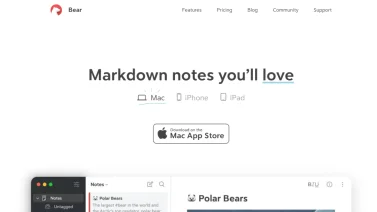

Bear
Markdown notes


Roam Research
Note-taking tool


Grammarly
AI writing assistant


Mem
AI-powered notes


Vikunja
The open-source to-do app


Tina
Empower Your Content with Git Integration


n8n
Automate your workflows effortlessly with n8n


Nolt
Streamline Feedback Collection with Voting Boards


Activepieces
Automate your workflows with open-source flexibility


GrowthBook
Unlock Your Product's Potential with A/B Testing


Claap
Empower team collaboration through video documentation
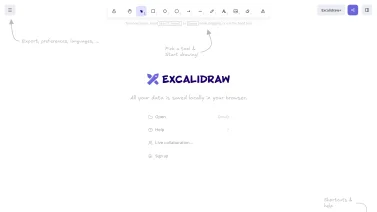

Excalidraw
Sketch, collaborate, and innovate together!


Nuclino
Collaborate seamlessly in a unified workspace


Archbee
Elevate Your Team's Documentation Game


Campsite
Your team's collaborative hub.
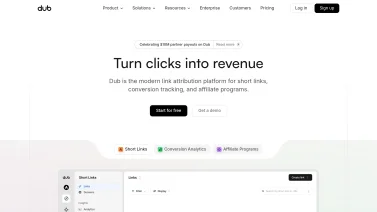

Dub
Streamline your link management effortlessly.


Storylane
Transform Your User Onboarding Experience


Canny
Streamline your product feedback process with Canny


Actiondesk
Transform your data into actionable insights instantly.
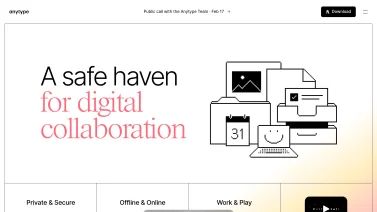

Anytype
Empower Your Team with Trust and Autonomy


Liveblocks
Empower Your Team with Real-Time Collaboration


Lokalise
Effortless Localization for Global Reach


OpenSign
Sign documents effortlessly and securely.


Statsig
Accelerate Your Development with Feature Flags


Appsmith
Build internal tools effortlessly with Appsmith.


Featurebase
Capture user feedback, drive product success!
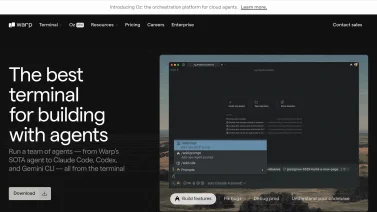

Warp
The terminal reimagined for modern developers


Arcade
Create interactive product demos effortlessly


tl;dv
Effortless meeting recording and insights.


Gamma
A new medium for presenting ideas


Slite
Empower Your Team with Seamless Knowledge Sharing


Cron
The Ultimate Professional Calendar Experience


Mintlify
Transform your documentation into a conversion tool


Craft
Beautiful docs and notes made easy


Cal.ai
Effortless Scheduling with AI Precision


You.com
Revolutionizing your search experience with AI.


Atuin
Magical shell history at your fingertips


Chameleon
Empower your users, enhance your software.


Alfred
Boost your productivity on macOS effortlessly.


Perplexity
Instant Answers, Powered by AI

Clockwise
Your AI Calendar Assistant for Seamless Team Coordination


DecTrack
Streamline your team's decision-making process.


Fibery
Empower Your Team with a Connected Workspace


Appcues
Boost user adoption effortlessly
Why Productivity Tools Matter in Modern Business
Productivity software has become a cornerstone of modern business operations, enabling professionals and teams to work more efficiently, collaborate seamlessly, and maintain focus on strategic objectives. In today's fast-paced digital landscape, where remote work and distributed teams are increasingly common, productivity tools serve as the backbone of organizational success. These applications streamline workflows, eliminate manual repetition, and provide the infrastructure necessary for teams to accomplish more in less time.
The shift toward cloud-based productivity solutions has fundamentally transformed how organizations approach work management. Unlike traditional desktop applications, SaaS-based productivity tools offer flexibility, accessibility, and scalability that modern businesses require. Whether managing individual tasks, coordinating team projects, or organizing complex information, productivity software empowers users to take control of their workload and achieve measurable results.
Essential Categories of Productivity Software
Effective productivity hinges on tools that streamline how individuals capture tasks, organize information, coordinate schedules, and collaborate on documents. By grouping software into functional categories, buyers can compare solutions that excel at turning ideas into actions, keeping data accessible, aligning time commitments, and ensuring seamless version control across teams.
Task Management and To-Do List Applications
Task management tools form the foundation of personal and team productivity. These applications enable users to create, organize, prioritize, and track tasks throughout their lifecycle. Modern task management solutions go beyond simple to-do lists, offering sophisticated features such as recurring tasks, subtasks, dependencies, priority levels, and deadline tracking. Popular options in this category range from personal task managers designed for individual users to enterprise-grade solutions that support complex project hierarchies and team collaboration.
Effective task management reduces cognitive load by externalizing tasks from memory into a trusted system. This allows professionals to focus on execution rather than remembering what needs to be done. Advanced task managers integrate with calendars, email systems, and communication platforms, creating a unified workspace where all work-related information flows seamlessly.
Note-Taking and Information Management
Note-taking applications have evolved from simple text editors into comprehensive information management systems. Modern note-taking tools support rich formatting, multimedia integration, web clipping, and powerful search capabilities. These platforms serve as digital notebooks where users capture ideas, meeting notes, research findings, and reference materials in a centralized, easily retrievable format.
The effectiveness of note-taking software lies in its ability to quickly capture information and make it easily discoverable later. Advanced features like tagging, notebooks, linked notes, and full-text search ensure that information remains accessible. For professionals managing substantial amounts of information, note-taking tools prevent important details from being lost or forgotten, supporting better decision-making and knowledge retention.
Scheduling and Calendar Management Tools
Scheduling software addresses one of the most time-consuming aspects of professional communication: coordinating meetings and managing calendars. Modern scheduling applications automate the back-and-forth communication typically required to find mutually available meeting times. These tools integrate with calendar systems, eliminate scheduling conflicts, and reduce administrative overhead associated with meeting coordination.
Advanced scheduling solutions recognize business hours preferences, timezone differences, and buffer time requirements. By automating routine scheduling tasks, these tools free professionals from manual calendar management and enable faster meeting coordination. For service providers and consultants, scheduling tools dramatically reduce the time required to book appointments while improving the customer experience.
Document Collaboration and Version Control
Document collaboration platforms enable multiple users to work simultaneously on the same documents, spreadsheets, and presentations. These applications maintain version history, track changes, and facilitate real-time communication about document content. By supporting collaborative editing, commenting, and suggestion modes, modern document tools streamline the review and approval process while maintaining document integrity.
The shift from email-based document sharing to cloud-based collaboration represents a significant productivity improvement. Team members no longer maintain multiple versions of the same document or suffer from version confusion. Instead, a single source of truth exists in the cloud, accessible to all authorized users from any device.
Key Benefits of Using Productivity Tools
Productivity tools reshape daily workflows by streamlining repetitive actions, consolidating information, and fostering clearer communication across teams. By reducing manual effort and minimizing distractions, they enable users to focus on high-value tasks, maintain better oversight of responsibilities, and leverage data for continuous improvement, ultimately driving more efficient and collaborative outcomes.
Time Efficiency and Reduced Context Switching
Productivity tools minimize context switching by consolidating work into unified platforms. Rather than jumping between multiple applications, users access tasks, notes, schedules, and documents from a single interface. This consolidation significantly reduces the mental overhead associated with switching between different systems and tools, enabling professionals to maintain focus and flow state.
Time savings accumulate substantially when productivity tools automate repetitive tasks. Automation features such as task creation from emails, recurring task generation, and automatic scheduling eliminate hours of manual administrative work annually. These accumulated time savings directly translate to increased capacity for strategic and creative work.
Improved Organization and Reduced Cognitive Load
Externalizing tasks and information into productivity systems dramatically reduces cognitive load. Rather than maintaining a mental list of responsibilities, professionals can trust external systems to track deadlines, reminders, and priorities. This psychological relief enables better focus on current tasks and reduces anxiety about forgotten responsibilities.
Organizational benefits extend beyond individual users to team-level improvements. Shared productivity systems create transparency, ensure accountability, and enable better workload distribution. Team members understand priorities, deadlines, and dependencies, supporting more efficient collaboration.
Enhanced Collaboration and Communication
Modern productivity platforms incorporate collaboration features that unite teams regardless of physical location. Real-time editing, commenting, task assignment, and integrated chat capabilities create comprehensive collaboration environments. These features reduce email volume, accelerate decision-making, and maintain communication context within the application where work is actually performed.
Collaboration features also create accountability and visibility. Team members understand who is responsible for what, when deliverables are due, and how their work contributes to broader objectives. This transparency improves motivation and coordination efficiency.
Data-Driven Insights and Performance Tracking
Advanced productivity applications provide analytics and insights into work patterns, productivity metrics, and team performance. These data-driven insights reveal bottlenecks, highlight high-impact activities, and enable optimization of work processes. Organizations can identify productivity trends, measure initiative impact, and make informed decisions about resource allocation.
Performance tracking also supports personal productivity improvement. By understanding how time is allocated and which activities drive results, professionals can optimize their work habits and focus on high-impact activities.
Seamless Integration and Automation Capabilities
Modern productivity ecosystems support extensive integration with other business applications. Through APIs and integration platforms, productivity tools connect with communication systems, customer relationship management platforms, accounting software, and specialized industry applications. These integrations create automated workflows that eliminate manual data entry and ensure information consistency across systems.
Automation capabilities enable users to create complex workflows triggered by specific conditions. For example, completing a task might automatically create calendar entries, send notifications to team members, or update project status. These automations handle routine processes, freeing users to focus on exception handling and strategic decisions.
Choosing the Right Productivity Tools for Your Needs
Selecting a productivity suite that truly supports daily workflows requires a balanced view of functionality, usability, and long-term fit. By examining how tools align with core tasks, how intuitively they can be adopted, and how they connect with existing platforms, decision-makers can prioritize solutions that grow with organizational needs while minimizing disruption.
Assess Your Specific Requirements
Selecting appropriate productivity tools begins with understanding your specific needs. Individual contributors may prioritize personal task management and note-taking capabilities, while team leads require collaboration features and progress visibility. Organizations should evaluate whether they need specialized tools for specific functions or comprehensive suites that integrate multiple capabilities.
Consider your work style and existing tool ecosystem. Some professionals prefer minimalist applications with limited features, while others benefit from comprehensive platforms with extensive functionality. Integration with existing systems is critical: productivity tools that integrate seamlessly with your current technology stack generate more value than isolated solutions.
Evaluate User Experience and Adoption Potential
The best productivity tool is useless if users don't adopt it. Evaluate user experience carefully before selecting tools. Consider whether the interface feels intuitive, whether the learning curve is manageable, and whether the application supports your preferred work style. Many vendors offer free trials. Use them to assess user experience with your actual team.
Adoption friction represents the primary barrier to productivity tool success. Tools with excellent documentation, active communities, responsive support, and intuitive interfaces generate faster adoption and higher utilization. Invest time in evaluating these factors before committing.
Consider Integration and Ecosystem Compatibility
Modern productivity depends on seamless integration between applications. Evaluate whether potential tools integrate with communication platforms, calendar systems, project management software, and other critical business applications you use. Tools that sit isolated from your technology ecosystem create additional work through manual data transfer and context switching.
Look for applications that offer open APIs, support for popular integration platforms, and pre-built connectors to commonly used business systems. The ability to automate workflows across multiple applications significantly multiplies the value of productivity tools.
Evaluate Pricing Models and Scalability
Productivity tool pricing varies significantly across options, from free tier solutions to enterprise-grade platforms with premium pricing. Evaluate whether pricing scales appropriately as your organization grows. Some solutions offer unlimited users on single subscription plans, while others charge per-user fees that increase substantially with team expansion.
Consider total cost of ownership, including implementation time, training requirements, and integration work. Sometimes more expensive solutions prove more cost-effective when accounting for reduced implementation overhead and better integration capabilities.
Current Trends in Productivity Software
Today's productivity tools reflect a shift toward smarter, more adaptable workflows, where built-in intelligence anticipates tasks, collaboration spans dispersed teams, and user data is safeguarded by rigorous security measures. Designers also prioritize uncluttered interfaces that reduce cognitive load, ensuring that focus remains on output rather than on navigating complex menus.
Artificial Intelligence Integration
Leading productivity applications increasingly incorporate artificial intelligence to enhance user capabilities. AI features automate task prioritization, suggest optimal scheduling windows, extract key insights from documents, and identify productivity patterns. Machine learning algorithms learn user preferences and adapt tool behavior accordingly, creating increasingly personalized experiences.
AI-powered productivity assistants can generate task summaries, suggest meeting times based on historical patterns, and predict project completion dates. These intelligent features reduce decision-making burden and help users work more effectively.
Focus on Remote and Hybrid Work Support
Productivity tools increasingly emphasize features that support distributed, asynchronous work. Time zone management, recorded meeting access, persistent chat history, and asynchronous collaboration capabilities recognize that modern teams span geographic locations and work across different schedules.
This focus on distributed work represents a fundamental shift from traditional office-based productivity. Successful tools now prioritize flexibility, accessibility, and asynchronous communication patterns that remote teams require.
Privacy and Data Security Emphasis
As productivity tools manage increasingly sensitive work information, privacy and security have become critical evaluation criteria. Users and organizations demand end-to-end encryption, transparent data practices, and compliance with regulatory standards. Privacy-focused productivity alternatives have gained traction among users concerned about data collection and commercial use of their information.
Providers are responding by improving security infrastructure, offering on-premise deployment options, and providing transparency into data handling practices. Security and privacy compliance are no longer differentiators but basic requirements for productivity software.
Minimalist and Distraction-Free Design
In response to information overload and digital distraction concerns, minimalist productivity tools emphasizing simplicity and focus have gained popularity. These applications strip away non-essential features, offer distraction-free interfaces, and encourage deep work. The minimalist movement reflects growing recognition that productivity isn't about doing more but accomplishing what matters most.
This trend contrasts with feature-rich platforms, creating a spectrum of options from ultra-simple tools to comprehensive suites. Different professionals and organizations gravitate toward different points on this spectrum based on their specific needs and preferences.
Implementing Productivity Tools Effectively
Successful deployment of productivity tools hinges on aligning technology with organizational goals, ensuring users feel confident, and tailoring the system to existing workflows. Continuous monitoring reveals adoption patterns, allowing adjustments that keep momentum high. This holistic approach transforms generic software into a catalyst for efficient, collaborative work across teams.
Start with Clear Objectives
Successful productivity tool implementation begins with clearly defined objectives. What specific problems are you solving? Are you reducing task management overhead, improving team collaboration, or eliminating email chaos? Clear objectives guide tool selection and implementation strategy while providing metrics to measure success.
Communicate objectives transparently with users. When people understand why productivity tools are being introduced and what benefits they should expect, adoption improves dramatically. Avoid forcing tool adoption without clear value proposition.
Invest in User Training and Support
Training significantly impacts tool adoption and utilization. Beyond basic feature training, teach users how to incorporate new tools into existing workflows. Provide use case examples, best practices, and troubleshooting resources. Designate power users who can support colleagues and serve as adoption advocates.
Ongoing support is critical, particularly in early adoption phases. Establish channels for questions, feedback, and issue reporting. Address adoption barriers quickly before they become entrenched resistance.
Customize Workflows to Match Your Processes
Productivity tools work best when customized to match actual work processes. Avoid forcing users to adapt to tool defaults. Instead, spend time configuring tools to support how your team actually works. This customization effort generates substantially higher adoption and utilization than generic implementations.
Work with representative users to understand existing processes, identify pain points, and design tool configurations that address those pain points. This collaborative customization approach generates buy-in and ensures tools solve real problems.
Monitor Adoption and Iterate
Track adoption metrics including active user percentage, feature utilization rates, and engagement frequency. Identify areas where adoption lags and investigate root causes. Address barriers quickly through additional training, process adjustment, or tool configuration changes.
Periodically gather user feedback about tool effectiveness. Are users encountering problems? Do they see value? Are alternative approaches emerging? Use this feedback to iterate on implementations and maximize tool value.
Future of Productivity Software
Productivity software continues evolving to address changing work patterns and emerging technologies. Increased focus on remote work support, artificial intelligence integration, privacy protection, and user well-being indicates the direction of future development. Successful productivity tools will balance comprehensive capability with user-friendly interfaces, enabling professionals to work more effectively while maintaining focus and well-being.
Organizations that strategically invest in productivity tools appropriate to their specific needs, support thorough adoption, and continuously optimize implementations will gain significant competitive advantages. Productivity tools are no longer optional conveniences but essential business infrastructure supporting organizational success in the digital economy.
Explore our comprehensive marketplace of productivity solutions to find the tools that align with your specific requirements, work style, and organizational objectives. Compare features, pricing, and user reviews to make informed decisions that maximize productivity and team effectiveness.
Frequently Asked Questions
Productivity software provides tools that help individuals and teams create, edit, share, and organize digital work. It typically includes applications for word processing, spreadsheets, presentations, email, and task management. These tools streamline routine tasks, improve collaboration, and reduce the time needed to produce documents or analyze data. By centralizing information and enabling real-time updates, productivity software supports efficient workflows and helps organizations maintain consistency across projects.
Buyers should focus on collaboration tools that enable real-time editing and commenting, as well as seamless integration with email, calendar and file-storage services. Automation features such as templates, macros or workflow triggers can reduce repetitive tasks. Look for customization options that let users tailor interfaces and shortcuts to their habits. Mobile access and offline functionality are important for flexible work. Security controls, including permission levels and data encryption, protect sensitive information, while scalability ensures the software can grow with the organization.
Productivity tools sit between core ERP, CRM and communication platforms, sharing data through APIs or built-in connectors, so information entered in one system appears elsewhere without duplicate entry. They extend existing workflows by automating routine tasks, managing documents and tracking progress, while respecting security policies set in the larger IT environment. When integrated, they reduce manual hand-offs and keep teams aligned with the same data source.
Teams often skip thorough planning, assuming the tool will fit without mapping existing workflows. This leads to low usage, duplicated effort, and frustration. To avoid it, start with a clear rollout plan, involve end users in configuration, provide focused training, and set realistic milestones. Regularly collect feedback, adjust settings, and celebrate quick wins to keep momentum and ensure the software truly supports daily tasks.