
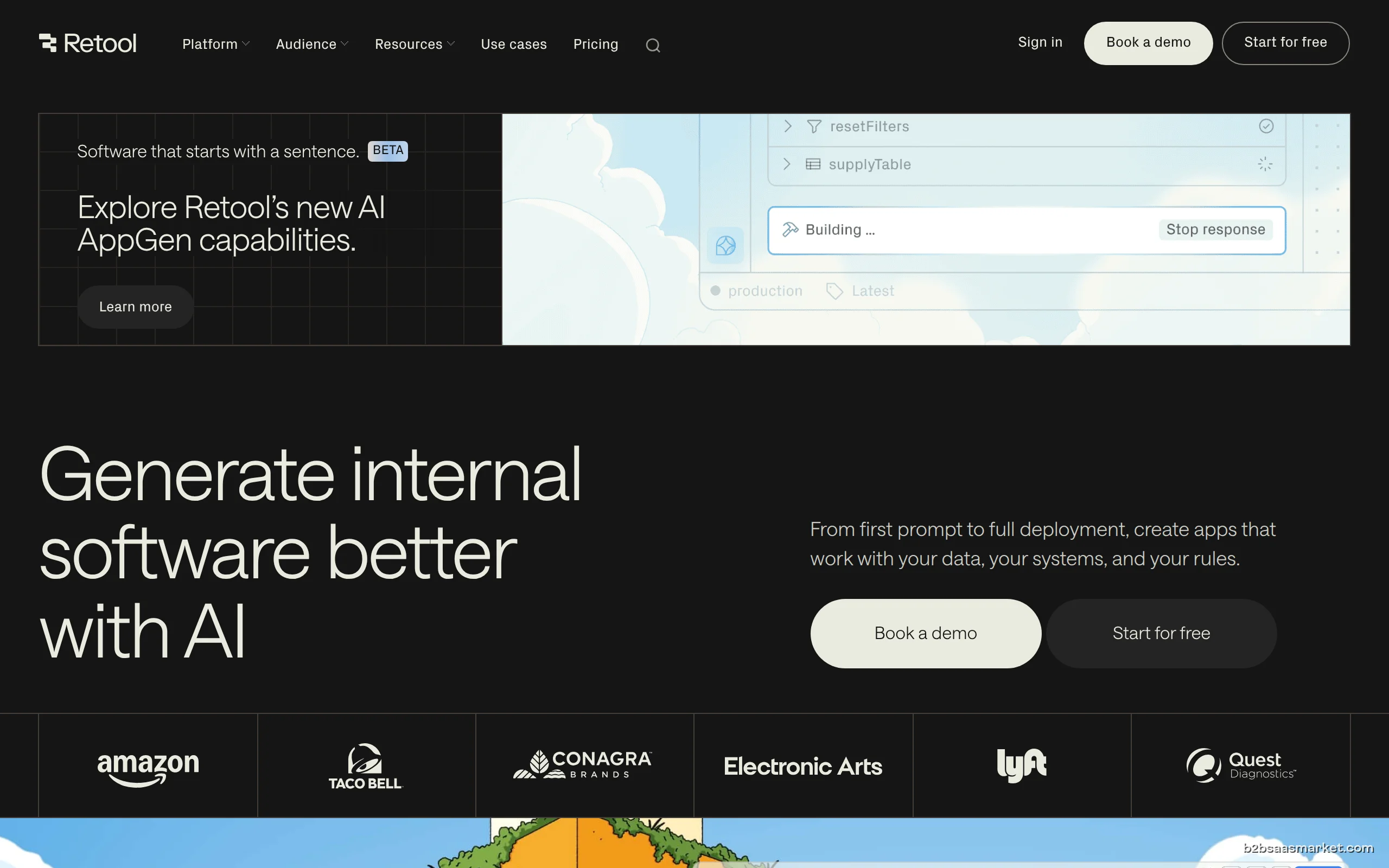
Retool is a powerful no-code platform that enables businesses to build internal tools quickly and efficiently. It's designed for developers and non-technical users alike, allowing teams to streamline processes and enhance productivity without extensive coding knowledge.
Retool Review
Retool is an innovative no-code platform that empowers businesses to create custom internal tools with ease and speed. By leveraging a drag-and-drop interface and a rich library of pre-built components, users can construct applications that cater specifically to their operational needs. Whether it's a dashboard for data visualization, an admin panel for managing user accounts, or a form for data entry, Retool simplifies the development process, allowing organizations to focus on what really matters: their core business operations.
Who It's For
Retool is ideal for both technical teams and non-technical users who need to develop internal tools quickly. Developers benefit from its flexibility and integration capabilities, while product managers and business analysts can easily create applications without writing extensive code. Companies in various sectors, from startups to large enterprises, can utilize Retool to improve operational efficiency and facilitate collaboration across departments.
Core Functionality
The platform provides a robust set of features that streamline the development of internal applications. Users can connect to various data sources, including databases, APIs, and third-party services, allowing them to pull in real-time data. The intuitive interface enables users to build applications using drag-and-drop components, which can be customized to fit specific needs. Additionally, Retool supports JavaScript for advanced customizations, ensuring that developers have the freedom to create sophisticated applications.
Business Benefits
One of the primary benefits of Retool is its ability to drastically reduce the time and resources required to develop internal tools. By eliminating the need for extensive coding, teams can deploy applications in days instead of months. This agility allows businesses to respond quickly to changing market demands and operational needs. Furthermore, Retool enhances collaboration by enabling cross-functional teams to work together on projects without the bottlenecks typically associated with software development.
Conclusion/Verdict
In summary, Retool stands out as a versatile no-code platform that caters to the needs of diverse teams looking to build internal tools efficiently. Its user-friendly interface, extensive integration options, and support for custom code make it suitable for a wide range of applications. For businesses aiming to enhance their operational processes and foster collaboration, Retool offers a compelling solution that can unlock significant productivity gains.
Key Features
- Drag-and-drop interface for easy app building.
- Integration with various databases and APIs.
- Customizable components tailored to specific needs.
- Real-time data fetching for dynamic applications.
- Support for JavaScript for advanced customizations.
- User authentication and role management functionalities.
- Deployment options for web and mobile applications.
- Collaborative tools for team-based development.
Retool Use Cases
- Creating a custom CRM dashboard to visualize sales data.
- Building an internal admin panel for user management.
- Developing a data entry form that integrates with existing databases.
- Setting up a project management tool tailored to team workflows.
- Implementing a reporting tool for real-time business analytics.
- Constructing an application for tracking customer support inquiries.
- Designing a tool for managing inventory and supply chain operations.
Retool Pros & Cons
- User-friendly drag-and-drop interface that simplifies app development.
- Supports integration with a variety of data sources and APIs.
- Allows for custom coding using JavaScript for advanced functionality.
- Enables rapid deployment of internal tools, reducing time to market.
- Facilitates collaboration between technical and non-technical users.
- Offers extensive documentation and community support for users.
- Scalable solution suitable for businesses of all sizes.
- Limited pre-built components compared to some competitors.
- Can become complex for users with no prior technical experience.
- Pricing may be a consideration for smaller organizations.
- Some users report a learning curve when first navigating the platform.
- Advanced features may require coding knowledge to fully utilize.
Frequently Asked Questions
Retool is a no-code platform that allows users to build custom internal tools quickly using a drag-and-drop interface and various pre-built components.
Developers, product managers, and business analysts can all benefit from Retool, as it enables both technical and non-technical users to create applications efficiently.
Yes, Retool supports integration with a variety of databases, APIs, and third-party services, allowing you to pull real-time data into your applications.
While Retool is a no-code platform, some familiarity with JavaScript can enhance your ability to customize applications and utilize advanced features.
You can build a wide range of applications, including dashboards, admin panels, data entry forms, project management tools, and more, tailored to your organization's needs.
Retool offers extensive documentation, community forums, and customer support to assist users in navigating the platform and resolving any issues.
Yes, Retool offers a free trial that allows users to explore its features and capabilities before committing to a subscription.
Quick Info
- Category No-Code / Low-Code
- Rating 4.2/5
- Free Trial Yes
- Trial Period 14 days
- API Available Yes
- Deployment Cloud


Community
Mobile Apps
Company Info
- Company Retool, Inc.
- Founded 2017
- Headquarters San Francisco, United States
- Employees 51-200
 More tools from United States →
Target Audience
Retool is designed for businesses of all sizes, including startups and established enterprises. Its flexibility makes it suitable for developers looking to streamline app creation as well as for business analysts who may not have coding experience but need to build functional internal tools.
Platforms