
Shortcut is a project management tool designed specifically for software teams. It streamlines workflows, enhances collaboration, and provides clear visibility into project progress, making it ideal for developers, project managers, and product owners looking to improve efficiency and productivity.
Shortcut Review
Shortcut is a powerful project management tool tailored for software development teams. It enables teams to plan, track, and manage their projects with ease, ensuring that everyone is aligned and focused on delivering high-quality software. With its intuitive interface and robust features, Shortcut transforms the way teams collaborate and communicate, making project management a seamless experience.
Who It's For
This platform is ideal for software development teams, project managers, and product owners who require an efficient way to manage tasks, monitor progress, and facilitate communication among team members. Whether you are part of a small startup or a large enterprise, Shortcut scales to meet your project management needs.
Core Functionality
At its core, Shortcut offers features that allow teams to create and prioritize tasks, set deadlines, and assign responsibilities with ease. Integration with version control systems, like GitHub, enables developers to link code changes directly to project tasks, providing a clear view of the project's status. Additionally, Shortcut's reporting tools help teams analyze performance metrics and make data-driven decisions, ensuring projects stay on track.
Business Benefits
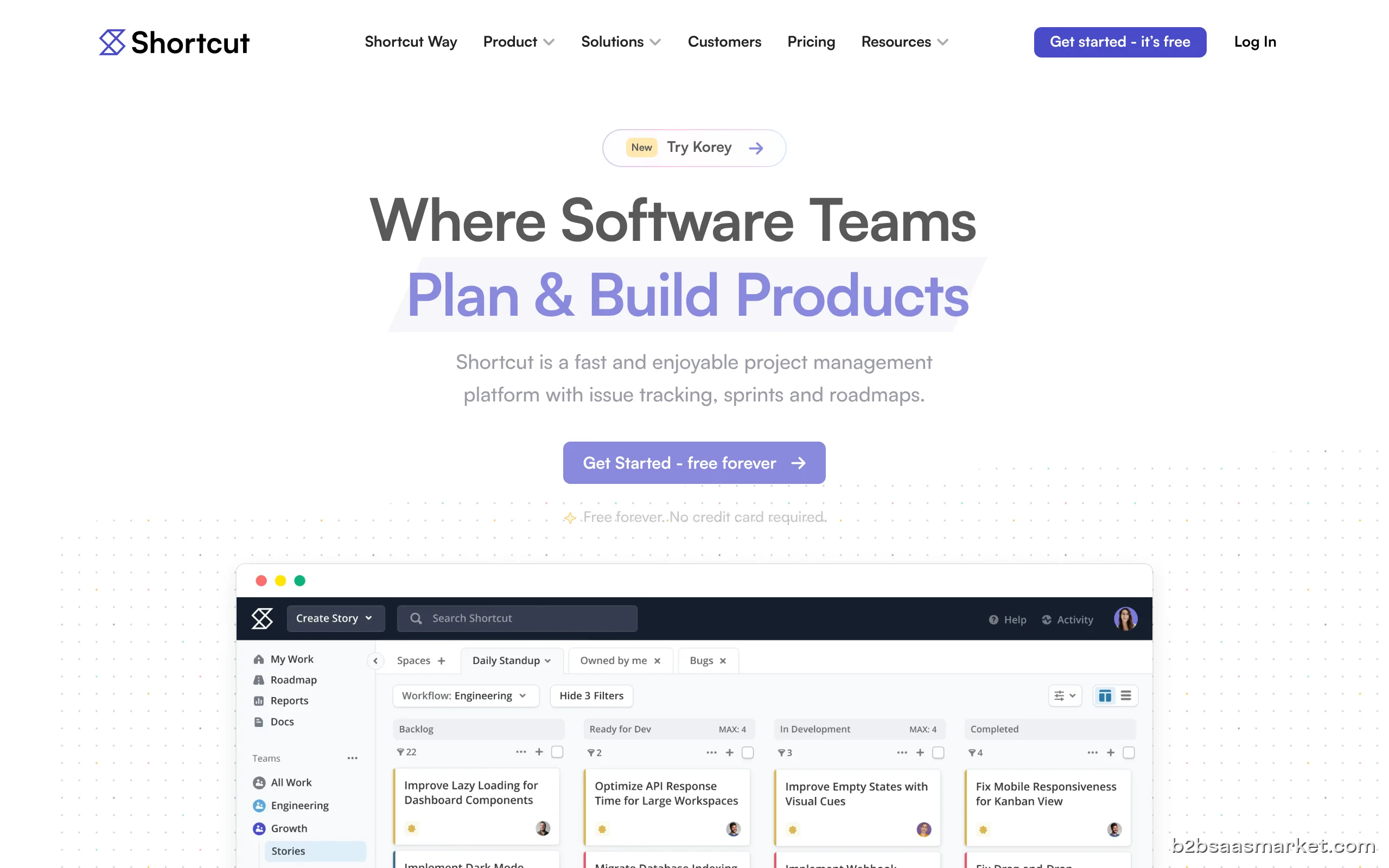
Using Shortcut can significantly enhance team productivity by reducing the time spent on project management tasks. Its visual boards provide a clear overview of project timelines and workload distribution, allowing teams to identify bottlenecks and allocate resources effectively. Furthermore, its collaborative features foster an environment of openness and transparency, where team members can share updates and feedback in real-time, leading to improved project outcomes.
Conclusion/Verdict
Overall, Shortcut is an excellent choice for software teams looking to streamline their project management process. Its user-friendly interface, coupled with powerful features designed for development workflows, makes it a standout tool in the crowded project management landscape. Whether you are managing a small project or a complex software development lifecycle, Shortcut is equipped to help your team succeed.
Key Features
- Customizable project boards for task management
- Integration with GitHub for code and task linking
- Real-time collaboration and communication tools
- Comprehensive reporting and analytics capabilities
- Visual timeline for project planning and tracking
- Task prioritization and assignment features
- API access for custom integrations
- Mobile-friendly interface for on-the-go access
Shortcut Use Cases
- A software development team uses Shortcut to manage a new product launch, aligning all tasks and deadlines.
- A project manager tracks progress on multiple projects simultaneously, using reporting tools to identify issues.
- A startup utilizes Shortcut to facilitate collaboration among remote developers, ensuring everyone is updated in real-time.
- A product owner integrates Shortcut with GitHub to streamline the workflow between coding and project management.
- An agile team adopts Shortcut to manage sprints, utilizing its flexible boards to adjust tasks as needed.
- A QA team coordinates testing efforts and bug tracking directly within Shortcut, linking issues to corresponding tasks.
Shortcut Pros & Cons
- Tailored specifically for software development teams, ensuring relevant features.
- User-friendly interface that simplifies project management.
- Seamless integration with popular version control systems like GitHub.
- Powerful reporting and analytics tools for data-driven decision making.
- Customizable workflows to suit different team processes.
- Real-time collaboration features that enhance communication among team members.
- Visual project timelines that improve transparency and accountability.
- May have a learning curve for teams new to project management tools.
- Limited offline functionality, requiring internet access for full use.
- Some advanced features may require additional setup or configuration.
- Pricing may be a consideration for smaller teams or startups.
Integrations
Pricing
Free trial available (14 days)
User Reviews
Amazing video editor. First of all it is completely robust and free at the same time. Yes the UI is ugly and not modern at all and yes there are some quirks in the software but it has no unexpected paywalls, no watermarks, everything free, it is very stable and lightweight on resources, supports wide ranges of formats. It just works.
Frequently Asked Questions
Shortcut is a project management tool specifically designed for software development teams, helping them plan, track, and manage their projects efficiently.
Shortcut offers seamless integration with popular tools like GitHub, Slack, and others, allowing teams to streamline their workflows and enhance collaboration.
Yes, Shortcut allows users to customize their project boards to fit their specific workflows and preferences, making task management more intuitive.
Yes, Shortcut offers a free trial that allows users to explore its features and determine if it meets their project management needs.
Shortcut is particularly beneficial for software development teams, agile teams, and any organization looking to improve their project management processes and team collaboration.
Yes, Shortcut includes comprehensive reporting and analytics tools that help teams monitor performance and make informed decisions.
Absolutely, Shortcut's real-time collaboration features and mobile-friendly interface make it an excellent choice for remote teams.
Shortcut is available on web, iOS, and Android platforms, allowing users to access their projects from various devices.
Quick Info
- Category Project Management
- Rating 3.8/5
- Free Trial Yes
- Trial Period 14 days
- API Available Yes
- Deployment Cloud

Mobile Apps
Company Info
- Company Shortcut
- Founded 2013
- Headquarters San Francisco, United States
- Employees 51-200
 More tools from United States →
Target Audience
Shortcut is designed for software development teams, project managers, and product owners who need a robust yet easy-to-use project management solution. Its features cater to both small startups and larger enterprises, making it suitable for any team size.
Platforms