
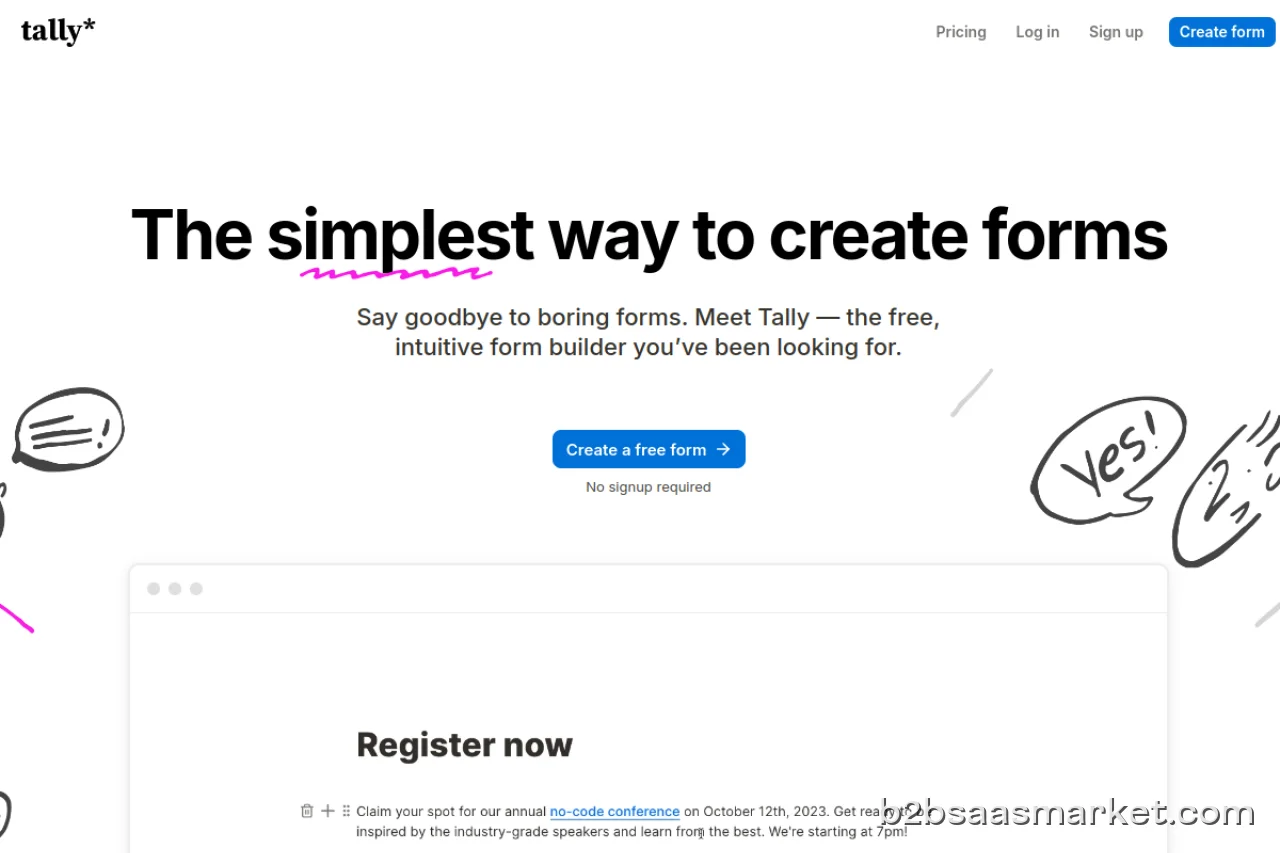
Tally is a free form builder designed for anyone looking to create customizable forms effortlessly. With an intuitive interface, it empowers users to gather and analyze data seamlessly, making it ideal for businesses, educators, and non-profits alike. Its versatility and ease of use make it a go-to solution for form creation.
Tally Review
Tally is a powerful and intuitive free form builder that allows users to create custom forms effortlessly. Its user-friendly interface makes it accessible for individuals and organizations seeking to gather data without any technical expertise. Whether you need forms for surveys, registrations, feedback, or any other purpose, Tally offers a simple yet effective way to design and deploy forms in minutes.
Who It's For
This tool is tailored for a diverse range of users including small businesses, educators, event organizers, and non-profit organizations. It serves anyone who needs to collect information efficiently and effectively. With Tally, users can create forms that cater to their specific needs without the burden of complicated software.
Core Functionality
Tally's core functionality revolves around its drag-and-drop form builder, which allows users to add various fields such as text boxes, radio buttons, checkboxes, and more with ease. Additionally, users can customize the design of their forms to match their branding. Tally provides real-time analytics, enabling users to track responses and gather insights instantly. The forms can be shared via a link or embedded directly into websites, maximizing reach and accessibility.
Business Benefits
The primary benefits of using Tally include increased efficiency in data collection, enhanced user engagement through customizable forms, and valuable insights derived from collected data. By streamlining the process of form creation and response tracking, organizations can save time and resources. Furthermore, Tally’s free model allows businesses to test the platform's capabilities without financial commitment, making it an attractive option for startups and small enterprises.
Conclusion/Verdict
In conclusion, Tally stands out as a robust and approachable solution for anyone in need of a form building tool. Its combination of ease-of-use, customization options, and real-time analytics makes it a valuable asset for a wide range of users. Whether you are gathering feedback, conducting surveys, or collecting registrations, Tally offers the tools necessary to do so efficiently. Overall, it is a recommended choice for those looking to enhance their data collection processes.
Key Features
- Drag-and-drop form builder for easy customization.
- Real-time response tracking and analytics dashboard.
- Multiple field types including text, checkbox, and dropdowns.
- Customizable themes and styles for branding.
- Link sharing and embedding options for wider reach.
- Mobile-friendly design for use on any device.
- Collaboration features for team access and editing.
- Integration capabilities with other tools and platforms.
Tally Use Cases
- Creating customer feedback forms for product improvement.
- Building registration forms for events or webinars.
- Conducting surveys for market research.
- Collecting applications for job openings or volunteer opportunities.
- Designing quizzes or assessments for educational purposes.
Tally Pros & Cons
- User-friendly drag-and-drop interface that requires no coding skills.
- Highly customizable forms to match branding and aesthetic needs.
- Real-time analytics to track responses and gather insights.
- Ability to share forms via links or embed them directly into websites.
- Free to use, allowing organizations to create forms without financial commitment.
- Responsive design ensures forms are accessible on various devices.
- Integrations with various platforms enhance functionality.
- Limited advanced features compared to more complex form builders.
- Customization options may be somewhat basic for users seeking sophisticated designs.
- No offline functionality; requires internet access to create and manage forms.
- Lack of advanced logic features for complex conditional workflows.
User Reviews
Tally makes creating forms so easy! Whether you're starting form scratch or using a template builder. Always recommend them. Been using them for around 6 months!
The design is nice and the customer support is quick and friendly.Unfortunately the product is very complicated and cannot do quiz funnels, which I only realized after building a funnel from scratch for many hours.One of the support members told me it would work. But later all the other support members told me it could not work and that tally.so is not able to build a quiz funnel with different questions as endings of the funnel. There can only be one final question per funnel.
Frequently Asked Questions
Tally is a free form builder that allows users to create customizable forms for various purposes, such as surveys, registrations, and feedback collection. It is designed to be user-friendly and accessible to all.
Yes, Tally offers a free version that enables users to create and manage forms without any financial commitment. This makes it an excellent option for individuals and small businesses.
Absolutely, Tally allows users to customize their forms extensively. You can change colors, styles, and themes to align with your branding.
Tally provides real-time analytics that allow you to track responses as they come in. You can view detailed insights on how users are interacting with your forms.
Yes, forms created in Tally are designed to be responsive, ensuring that they work seamlessly on any device, including smartphones and tablets.
Yes, Tally provides you with the option to embed forms directly into your website, making it easy for visitors to fill them out without leaving your site.
Tally supports various field types, including text fields, checkboxes, radio buttons, dropdowns, and more, allowing you to create forms tailored to your specific needs.
Quick Info
- Category Survey & Forms
- Rating 3.3/5
- Free Trial Yes
- Trial Period 14 days
- Deployment Cloud

Community
Mobile Apps
Company Info
- Company Tally
- Founded 2020
- Headquarters San Francisco, United States
- Employees 1-10
 More tools from United States →
Target Audience
Tally is ideal for small businesses, educators, and non-profit organizations that need an easy-to-use form builder. Its flexibility and no-cost model make it particularly appealing for those seeking efficient data collection without the complexities of traditional software.
Platforms