Collaboration
Compare the best collaboration tools. Read reviews, compare features and pricing.


Pendo
Product experience platform


Miro
Online whiteboard
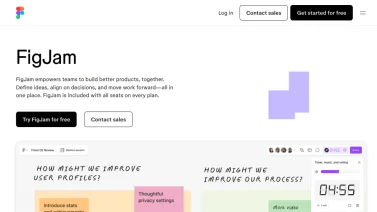

FigJam
Collaborative whiteboard


Whimsical
Visual workspace

Trello
Visual collaboration


Doodle
Meeting scheduling

Microsoft Teams
Team collaboration
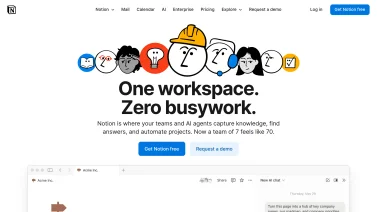
Notion
All-in-one workspace


AppFlowy
Open source alternative to Notion
The Essential Role of Collaboration Tools in Modern Organizations
Team collaboration tools have become indispensable infrastructure for organizations operating in increasingly distributed and complex work environments. These platforms transcend traditional communication by creating unified digital workspaces where teams can brainstorm, plan, execute, and reflect on work without geographic limitations. Collaboration tools address the fundamental challenge of modern work: enabling geographically dispersed team members to work together as effectively as co-located teams, while preserving the knowledge, decisions, and creative outputs that emerge from collaborative efforts.
The evolution from file-sharing systems and email to integrated collaboration platforms represents a fundamental shift in how organizations approach teamwork. Modern collaboration tools recognize that effective work requires more than just communication it demands shared context, visual organization, real-time feedback, and persistent records of collaborative thinking. By consolidating these diverse needs into unified platforms, collaboration software eliminates the fragmentation and context-switching that diminished productivity in previous-generation tools.
Core Categories of Collaboration Tools
Effective teamwork hinges on selecting the right type of collaboration software, each designed to address distinct workflow needs. By grouping tools into logical families, organizations can compare capabilities such as visual brainstorming, task coordination, document sharing, integrated workspaces, and niche solutions that target specific industry challenges, ensuring a cohesive digital environment.
Visual Collaboration and Whiteboarding Platforms
Digital whiteboarding tools have revolutionized creative collaboration by providing infinite canvases where teams can brainstorm, sketch, and organize ideas visually. Unlike traditional whiteboards limited to single physical locations, digital whiteboards enable distributed teams to collaborate simultaneously on visual work. Real-time cursor tracking shows where colleagues are working, while threaded comments keep feedback organized without cluttering the main canvas. These platforms support diverse visual thinking approaches including sticky notes for free-form ideation, flowchart components for process mapping, mind mapping structures for hierarchical thinking, and freehand drawing for sketching concepts. Templates help teams start brainstorming sessions quickly with pre-built frameworks for common activities like user journey mapping, business model canvas development, and strategic planning. Recording and replay functionality enable team members unable to attend live sessions to review the collaborative process and understand how teams reached conclusions. Organizations report that visual collaboration tools significantly accelerate creative problem-solving by enabling team members to think together rather than sequentially exchanging ideas through text.
Project and Task Management Platforms
Project collaboration tools organize work into manageable units with clear ownership, deadlines, and dependencies. Kanban boards visualize workflow states, helping teams understand what work is in progress, blocked, or completed. List views provide detailed task information including descriptions, subtasks, attachments, and comments. Timeline or Gantt chart views display project schedules, dependencies, and critical path information. Calendar views help teams understand deadline density and workload distribution. By supporting multiple visualization methods, comprehensive project management platforms accommodate different thinking styles and project management approaches. Commenting capabilities embedded within tasks enable discussion and feedback to remain contextual rather than getting lost in separate communication channels. Assignment and notification features ensure that responsible parties understand their obligations and receive updates as projects progress. Many platforms include automation capabilities that trigger actions based on conditions automatically advancing tasks when dependencies complete, sending reminders as deadlines approach, or updating stakeholders when project status changes.
Document Collaboration and Knowledge Management
Collaborative document tools enable teams to create, edit, and maintain documents together in real-time. Unlike traditional document management where users check out files to work on them exclusively, modern document collaboration allows simultaneous editing with automatic conflict resolution. Version history preserves all document changes, enabling teams to understand how documents evolved and revert to previous versions if needed. Comments and suggestions enable reviewers to provide feedback without permanently modifying content, supporting collaborative editing workflows where feedback is reviewed and incorporated intentionally. Integration with project management tools links documents to specific projects or tasks, providing context for why documents exist and how they relate to organizational work. Knowledge management capabilities help organizations capture and preserve collaborative thinking by making documents discoverable through comprehensive search, organizing related documents through semantic linking, and maintaining context about document purpose and usage.
Unified Workspace Platforms
Comprehensive collaboration platforms consolidate multiple collaboration functions into unified workspaces. Rather than requiring team members to maintain separate accounts for messaging, documents, task management, and video calls, unified platforms provide these capabilities within single environments. This integration eliminates context-switching and ensures that all information relevant to a specific project or team appears in centralized locations. Unified platforms typically include communication channels organized by project or topic, document storage with version control, task management with multiple view options, and integrated video conferencing for synchronous collaboration. By reducing the number of tools teams must learn and maintain, unified platforms decrease adoption friction and administrative overhead. However, unified platforms require careful configuration to avoid becoming cluttered, and organizations should establish clear governance about which features are used for specific purposes.
Specialized Collaboration Solutions
Beyond comprehensive platforms, specialized collaboration tools excel in specific domains. Design collaboration tools include advanced features for managing design systems, component libraries, and design-to-development handoffs that general platforms cannot adequately support. Content collaboration platforms emphasize editorial workflows, version control for lengthy documents, and stakeholder review processes. Code collaboration platforms provide version control, code review, and continuous integration capabilities essential for software development. Data collaboration tools enable teams to work with datasets, build analyses together, and share insights in interactive formats. By focusing on specific collaboration domains, specialized tools often provide superior capabilities compared to generalist platforms, though organizations must integrate them with other tools.
Key Features and Capabilities
Effective collaboration platforms combine several essential capabilities that empower teams to work together seamlessly. They enable multiple users to edit documents simultaneously, organize discussions through threaded comments, and connect with other productivity applications. Robust mobile support ensures access across devices, while powerful search tools help locate relevant information quickly.
Real-Time Collaboration and Live Editing
Real-time collaboration enables multiple team members to work on the same document, diagram, or project simultaneously while seeing changes instantly. Live cursors show where colleagues are working, enabling teams to coordinate and avoid duplicated effort. This synchronous collaboration capability is particularly valuable for time-sensitive work where sequential editing would introduce unacceptable delays. Real-time collaboration also creates serendipitous learning opportunities as team members observe how colleagues approach problems and think through challenges.
Comment Threading and Feedback Mechanisms
Effective collaboration requires structured feedback mechanisms where comments remain contextual to the specific work they address. Threaded comments organized by location within documents or tasks prevent feedback from becoming disorganized discussions lost among other messages. Resolved comment states help teams track which feedback has been addressed. Suggestion modes enable reviewers to propose changes for author approval rather than making unilateral edits. These structured feedback mechanisms accelerate decision-making by maintaining clarity about what feedback has been provided, who provided it, and what status each piece of feedback holds.
Integration with Productivity Tools
Modern collaboration platforms recognize that organizations utilize diverse specialized tools for different purposes. Robust integration capabilities connect collaboration platforms with email systems, calendar applications, file storage services, business intelligence tools, and industry-specific software. When collaboration tools integrate deeply with systems teams already use daily, adoption friction decreases and tools become natural extensions of existing workflows rather than additional overhead. Integration can work in both directions collaboration tools may surface information from other systems, and other systems may log important events back into collaboration platforms.
Mobile-First and Cross-Device Support
Modern work occurs across diverse devices including desktop computers, tablets, and smartphones. Collaboration platforms must support seamless experiences across device types, with mobile applications providing touch-optimized interfaces while maintaining feature parity with desktop versions. Cross-device synchronization ensures that work is immediately reflected across all devices, so team members can start work on a desktop and continue on a mobile device without any interruption or loss of context. Offline capabilities enable team members to continue working in situations with intermittent connectivity, with automatic synchronization when connections resume.
Search and Information Discovery
As organizations accumulate collaborative artifacts documents, comments, decisions, and designs information discovery becomes critical. Powerful search capabilities that understand context and meaning help teams find relevant information quickly. Semantic search that understands relationships between concepts and custom tags that enable organization schemes support finding information through multiple approaches. Search integration that surfaces relevant information from across different collaboration tools within the platform itself ensures team members can find information without hunting across multiple applications.
Benefits of Effective Team Collaboration
When teams coordinate through shared workspaces, communication channels, and task boards, the way work moves through an organization changes. Ideas travel faster, context stays visible, and people can contribute without waiting for a meeting. This shift reduces friction and supports smoother outcomes across projects.
Accelerated Problem-Solving and Decision-Making
Collaboration tools enable teams to bring diverse expertise to bear on problems simultaneously. Rather than sequential handoffs where specialists review work sequentially, collaborative tools allow multidisciplinary teams to contribute simultaneously. This parallel contribution accelerates problem-solving by enabling teams to explore multiple approaches concurrently and rapidly integrate feedback from diverse perspectives. The ability to visualize problems and solutions collectively helps teams identify gaps and conflicts early, before they accumulate and become expensive to address.
Knowledge Preservation and Organizational Learning
Collaborative work creates valuable intellectual assets decisions made, alternatives considered, reasoning about trade-offs, and lessons learned. Collaboration tools with comprehensive search, versioning, and linking capabilities preserve this knowledge for future reference. Rather than knowledge existing only in individuals' minds, collaborative work creates persistent records that the organization can reference when facing similar challenges. This knowledge preservation is particularly valuable for organizations with high employee turnover or distributed teams where informal knowledge transfer is difficult. New team members can review past collaborative work to understand how decisions were made and why certain approaches were chosen.
Improved Transparency and Stakeholder Alignment
When collaborative work occurs in visible digital workspaces rather than in private emails or isolated conversations, organizational transparency increases. Stakeholders can observe project progress, understand decision rationale, and identify issues early. This transparency enables better organizational decision-making because leaders understand actual project status rather than relying on filtered reports. Transparency also improves trust by enabling teams to demonstrate competence and dedication through visible collaborative effort.
Enhanced Creativity and Innovation
Collaboration tools that emphasize visual thinking and diverse perspectives support innovation. By enabling teams to brainstorm together, build on each other's ideas, and rapidly sketch and test concepts, collaboration tools create psychological safety and reduce the friction of sharing early ideas. Organizations using collaborative whiteboarding for brainstorming report more innovative solutions because teams feel comfortable sharing unrefined ideas in supportive environments. The ability to quickly visualize and iterate on concepts accelerates the innovation process compared to sequential reviews where each person refines work privately before sharing.
Reduced Duplicated Effort and Organizational Coordination
Organizations operating without effective collaboration often experience duplicated effort where multiple teams work on similar problems independently. Visible collaborative work and good search capabilities help teams discover existing work and build on it rather than recreating it. This reduces wasted effort and enables organizations to move faster by leveraging existing solutions and learning from previous attempts rather than starting from scratch repeatedly.
Better Work-Life Balance and Asynchronous Work Support
Collaboration tools that support asynchronous contribution enable team members to participate flexibly rather than requiring constant synchronous availability. Written documents and recorded video messages enable teams to collaborate across time zones without forcing some members to work during inconvenient hours. Threaded discussions allow time for thoughtful responses rather than requiring immediate reactions. These asynchronous capabilities support employee well-being by enabling flexibility while maintaining team productivity.
Implementation Considerations and Best Practices
Successful deployment of collaboration platforms hinges on aligning technology with organizational culture, establishing clear policies, and investing in ongoing education. By thoughtfully matching capabilities to team size, defining usage norms, providing accessible support, and continuously refining configurations based on real-world interaction, companies can maximize adoption and sustain productivity gains.
Right-Sizing Tool Selection
Organizations often fall into the trap of adopting overly complex tools designed for enterprise organizations with sophisticated needs, or conversely, selecting tools that are inadequate as the organization grows. Right-sizing involves understanding specific organizational requirements, project types, and team structure before selecting tools. Small teams may thrive with simple, focused tools, while large matrix organizations with complex projects require more sophisticated capabilities. Pilot projects with different tools help teams understand which features are essential versus nice-to-have.
Clear Governance and Usage Norms
Effective tool adoption requires clear governance defining which tools are used for specific purposes, how information flows between tools, and how teams should organize their work. Without clear norms, tools become cluttered and confusing, with duplicate information stored in multiple locations. Documentation of governance helps new team members understand expected practices and contributes to consistent organizational culture. However, overly restrictive governance can create overhead that limits tool benefits. The best approach balances consistency with flexibility, providing clear frameworks while allowing legitimate variations.
Comprehensive Training and Support
Tool adoption requires more than software deployment. Teams need training on tool features, integration with daily workflows, and best practices for effective collaboration. Support resources including documentation, tutorials, and dedicated help channels enable users to resolve questions and overcome obstacles. Many organizations designate tool champions within departments who develop deep expertise and support peer adoption. These champions become valuable resources as they understand both the tool and departmental workflow requirements.
Iterative Refinement Based on Usage Patterns
Initial implementation rarely captures optimal tool configuration and usage patterns. Organizations should monitor how teams use tools, identify bottlenecks and workarounds, and iteratively refine processes. This might include adjusting which communication channels are used, reorganizing how projects are structured, or integrating additional tools that emerge as necessary. Regular feedback collection from users helps identify friction points and opportunities for improvement. This iterative approach typically results in significantly better tool utilization than static implementation followed by abandonment.
Current Trends in Collaboration Technology
The collaboration landscape is evolving rapidly, driven by advances that reshape how teams interact and deliver results. Modern platforms now blend intelligent assistance, support work that happens across time zones, and offer immersive environments that mimic physical spaces. Seamless links to broader workflow ecosystems further amplify productivity and keep distributed groups aligned.
AI-Powered Collaboration Enhancement
Artificial intelligence is increasingly being integrated into collaboration tools to enhance team effectiveness. Meeting intelligence features automatically generate highlights, extract action items, and identify key discussion points from recorded video calls without requiring manual documentation. AI-powered search understands natural language queries and semantic meaning rather than requiring precise keyword matching. Intelligent meeting scheduling systems find optimal times considering individual preferences and calendar constraints. These AI capabilities are rapidly becoming baseline features users expect from modern collaboration platforms.
Emphasis on Asynchronous and Flexible Collaboration
Organizations increasingly recognize that requiring all team members to participate synchronously limits effectiveness for distributed teams and reduces employee flexibility. Collaboration platforms are evolving to emphasize asynchronous contribution with recorded video messages, threaded discussions, and flexible participation. This shift enables organizations to hire globally without requiring employees to work during inconvenient hours, while supporting employee well-being through flexibility.
Immersive and Spatial Collaboration Experiences
Virtual reality and spatial computing are emerging capabilities that transform remote collaboration from flat screens to immersive environments. Spatial collaboration environments simulate in-person office spaces where team members can see colleagues at desks and walk over to collaborate informally. While still emerging, these technologies show promise for creating more natural remote collaboration experiences than current text and video-based tools.
Deeper Integration with Workflow Systems
The boundary between collaboration tools and workflow systems is increasingly blurring. Collaboration platforms are incorporating task management, automation, and business process support, while workflow systems increasingly include built-in collaboration capabilities. This convergence reflects recognition that collaboration and work execution are inseparable teams need to work together to execute coordinated efforts.
Collaboration Tools for Different Work Styles and Methodologies
Choosing the right collaboration platform means matching tools to the way teams actually work, whether they iterate in short cycles, craft visual assets, or coordinate across thousands of employees. Understanding these distinct work styles helps organizations select software that supports real-time feedback, version control, and scalable communication without forcing a one-size-fits-all approach.
Agile Team Collaboration
Agile methodologies require frequent team synchronization, visual representation of work, and rapid iteration. Collaboration tools supporting Agile teams typically emphasize Kanban boards, sprint planning capabilities, burndown charts, and daily standup coordination. Integration with development tools ensures that code changes and task management remain aligned. Capacity planning and velocity tracking help teams estimate upcoming work more accurately.
Design and Creative Collaboration
Design collaboration requires specialized capabilities including asset management, design system organization, component library tracking, and design-to-development handoff workflows. Creative collaboration tools emphasize visual feedback mechanisms, annotation capabilities, and integration with design-specific software. Version control within design tools enables teams to maintain design system integrity while allowing creative flexibility.
Enterprise Collaboration at Scale
Large organizations require collaboration tools supporting complex governance, security requirements, compliance certifications, and integration with enterprise systems. Enterprise collaboration platforms emphasize administrative controls, audit logging, data residency options, and role-based access management. Scalability to support thousands of users with millions of documents requires robust infrastructure architecture and performance optimization.
Security and Governance in Collaborative Environments
Ensuring that collaborative platforms protect sensitive information while enabling teamwork requires robust security and governance measures. Effective solutions combine granular permission controls with comprehensive audit trails, allowing administrators to define who can view, edit, or share content. Simultaneously, built-in encryption safeguards data both at rest and in transit, helping organizations meet regulatory obligations.
Access Control and Permission Management
Effective collaboration requires balancing transparency with security. Granular permission controls enable organizations to grant access based on business need while preventing unauthorized access to sensitive information. Role-based access management simplifies administration by assigning permissions to roles rather than managing individual permissions. Audit logging tracks who accessed what information, supporting compliance requirements and security investigations.
Data Encryption and Compliance
Collaboration tools must protect data in transit and at rest through encryption. Organizations handling sensitive information should verify that tools meet relevant compliance requirements including SOC 2, GDPR, HIPAA, or industry-specific standards. Data residency options ensure that data remains within jurisdictions required by regulatory requirements. Regular security audits and penetration testing identify vulnerabilities before malicious actors exploit them.
Measuring Collaboration Tool Effectiveness
Organizations often struggle to measure whether collaboration tools deliver expected value. Useful metrics include adoption rates indicating how many team members use tools and how frequently, engagement metrics showing feature utilization patterns, collaboration network analysis revealing who works together, and qualitative feedback about perceived improvements in teamwork. However, the most important metric is business outcomes projects delivered faster, higher quality decisions, improved employee retention. Organizations should establish baseline measurements before tool implementation and measure outcomes after sufficient time for habits to develop and mature.
Effective team collaboration emerges from thoughtfully selected tools combined with clear governance, comprehensive training, and organizational commitment to collaborative ways of working. Organizations investing in collaboration infrastructure position themselves to respond faster to market changes, make better decisions, and retain talented employees who value collaborative environments. As work continues to distribute geographically and organizational problems become increasingly complex, collaboration tools constitute essential infrastructure enabling organizations to compete effectively while maintaining team cohesion and employee well-being.
Frequently Asked Questions
Collaboration software provides a shared digital workspace where team members can communicate, exchange files, and coordinate tasks in real time. It centralises conversations, supports version-controlled document editing, and often includes features such as task lists, calendars, and notifications that keep everyone aligned. By reducing reliance on email and disparate tools, it helps streamline workflows, improve transparency, and accelerate decision making across the organization.
Key capabilities include real-time document editing, which lets multiple users work on the same file simultaneously, and integrated chat or video tools that keep conversations close to the work. Robust file sharing and version control prevent loss of data and make it easy to revert changes. Seamless integration with other business apps reduces context switching, while granular permission settings protect sensitive information. Mobile access ensures team members stay productive from any device, and reliable security features such as encryption and audit logs safeguard data.
Collaboration software is designed to connect with existing tools such as email, file storage, CRM and project management platforms through APIs or built-in connectors. It can pull documents from a cloud drive, sync calendar events, and push updates to a CRM record, creating a single source of truth. This reduces the need for manual data entry, keeps teams aligned, and lets each department continue using its preferred applications while sharing information in real time.
Teams often skip proper onboarding, leaving users confused about core features and resulting in low adoption. They may also ignore existing workflows, forcing people to change habits instead of integrating the tool smoothly. To avoid these issues, start with a clear rollout plan, provide hands-on training for key scenarios, and involve representatives from each department to map the software to current processes. Ongoing support and feedback loops keep momentum high and ensure the tool adds real value.